Premiere Pro Transition Plugins That Keep Your Transitions from Looking Cheap
I just installed a set of plugins from Film Impact, and the transitions are really cool. It has all the familiar, polished effects, like light flares and motion-blur transitions. Honestly, the built-in transitions are pretty lame. Without this plugin, I'd use the transitions in Sapphire, and sometimes I'd even have to make them in AE. This plugin set makes the work much easier. According to someone in the know, it's also the transition pack used by The Voice of China.
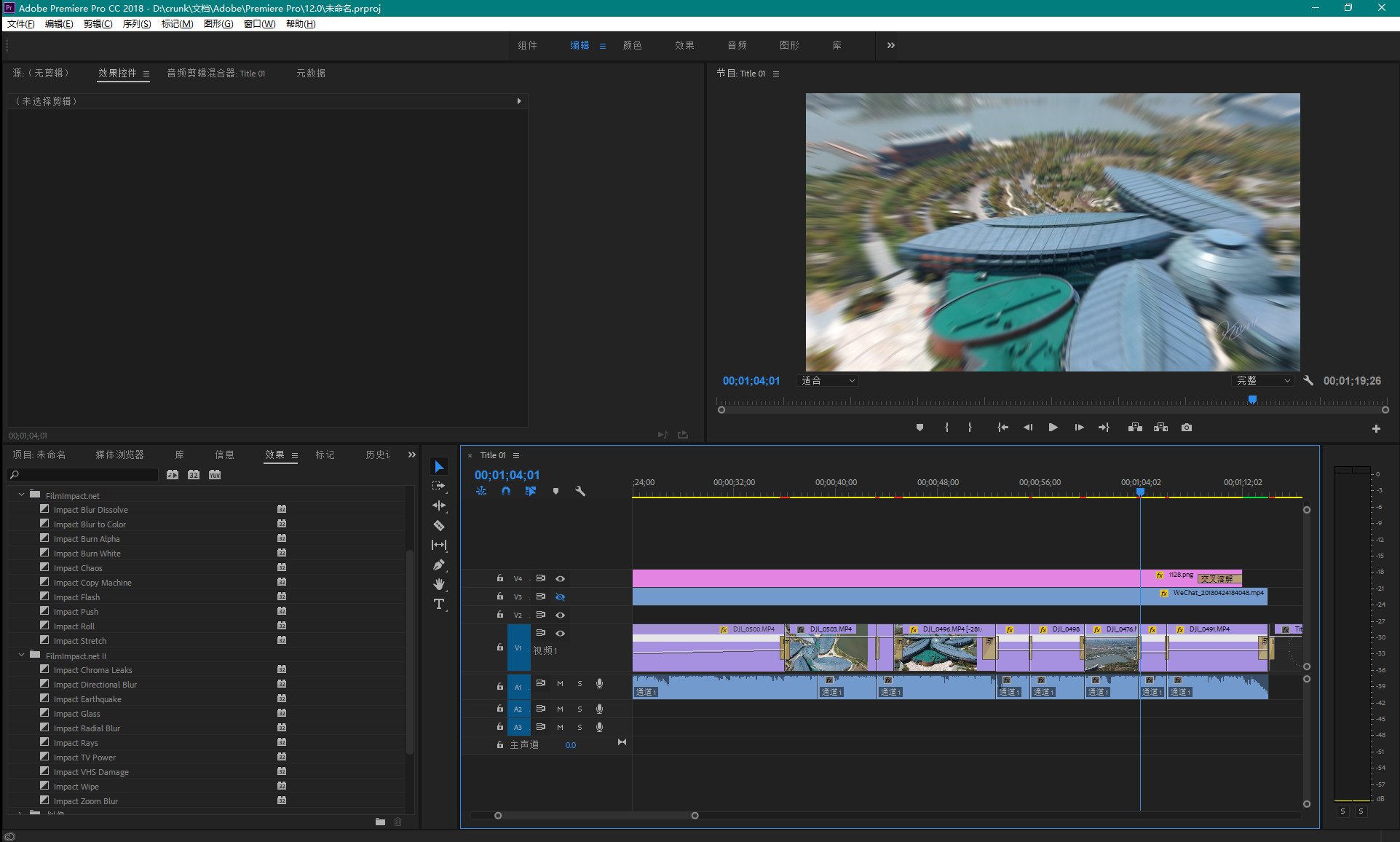
FilmImpact.net provides this transition pack for Premiere.
The first pack contains the following 10 transition effects:
Impact Flash – A bright white flash transition (very popular)
Impact Roll — rolling push transition (with motion blur)
Impact Push — push transition (with motion blur)
Impact Blur to Color — color-blur transition
Impact Burn Alpha — alpha-channel transition
Impact Burn White — white-flash burn transition
Impact Blur Dissolve — blurred dissolve transition
Impact Stretch – A stretch transition
Impact Copy Machine — light transition
Impact Chaos — chaotic transition (a very cool video transition)
Second plugin pack:
Impact Chroma Leaks (a chromatic light-leak transition)
Impact Directional Blur (a directional blur transition) Impact Earthquake (an earthquake shake transition)
Impact Glass (glass-effect transition)
Impact Radial Blur (radial/rotational blur transition)
Impact Rays (radiating-light transition)
Impact TV Power (TV power-on/off transition)
Impact VHS Damage (a signal interference transition)
Impact Wipe (blurred wipe transition)
Impact Zoom Blur (zoom-blur transition)
This is my Premiere CC interface.

http://d.krunk.cn/Blog\_Download/Premiere64-Transition Pack1-2.zip
Download mirror:
http://d.krunk.cn/Blog_Download/Premiere64-Transition%20Pack1-2.zip
Published 04/24/2018 · Krunk Zhou
Join the conversation