Computer projects / Networking
Mounting a School Linux Drive on Windows with SSHFS
Download WinFsp
Download SSHFS-Win
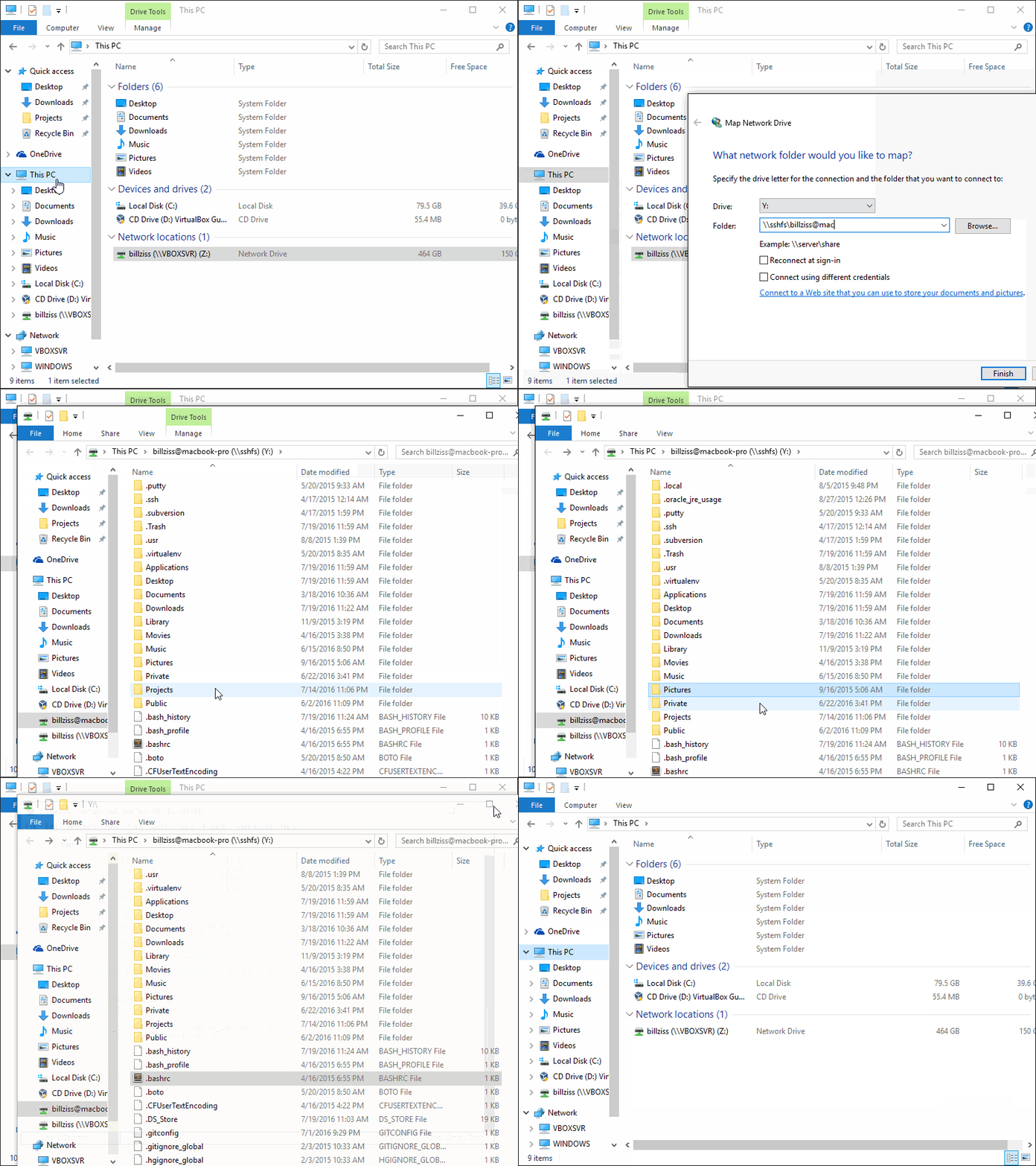
After installation, open Map Network Drive in Windows and enter the following path to mount the drive:
\\sshfs\REMUSER@HOST[\PATH]
Download WinFsp
https://github.com/billziss-gh/winfsp/releases/latest
Download SSHFS
Published 11/26/2019 · Krunk Zhou
Join the conversation