My New Home Network Runs on UniFi
When I started tinkering with networking, I got hooked on the basic UniFi lineup (USG, CK, USW). But when the Unifi Dream Machine came out, I fell even deeper into the full Unifi ecosystem.
(For new visitors: I'm not an IT professional, just a student muddling through school!)
Unifi Design Center
Before moving into the new place, I sketched out a rough layout. There aren't many devices; covering the places where we normally use our phones and our IoT devices is enough. (I scanned the place with an iPad before we moved in to make this rough floor plan.)
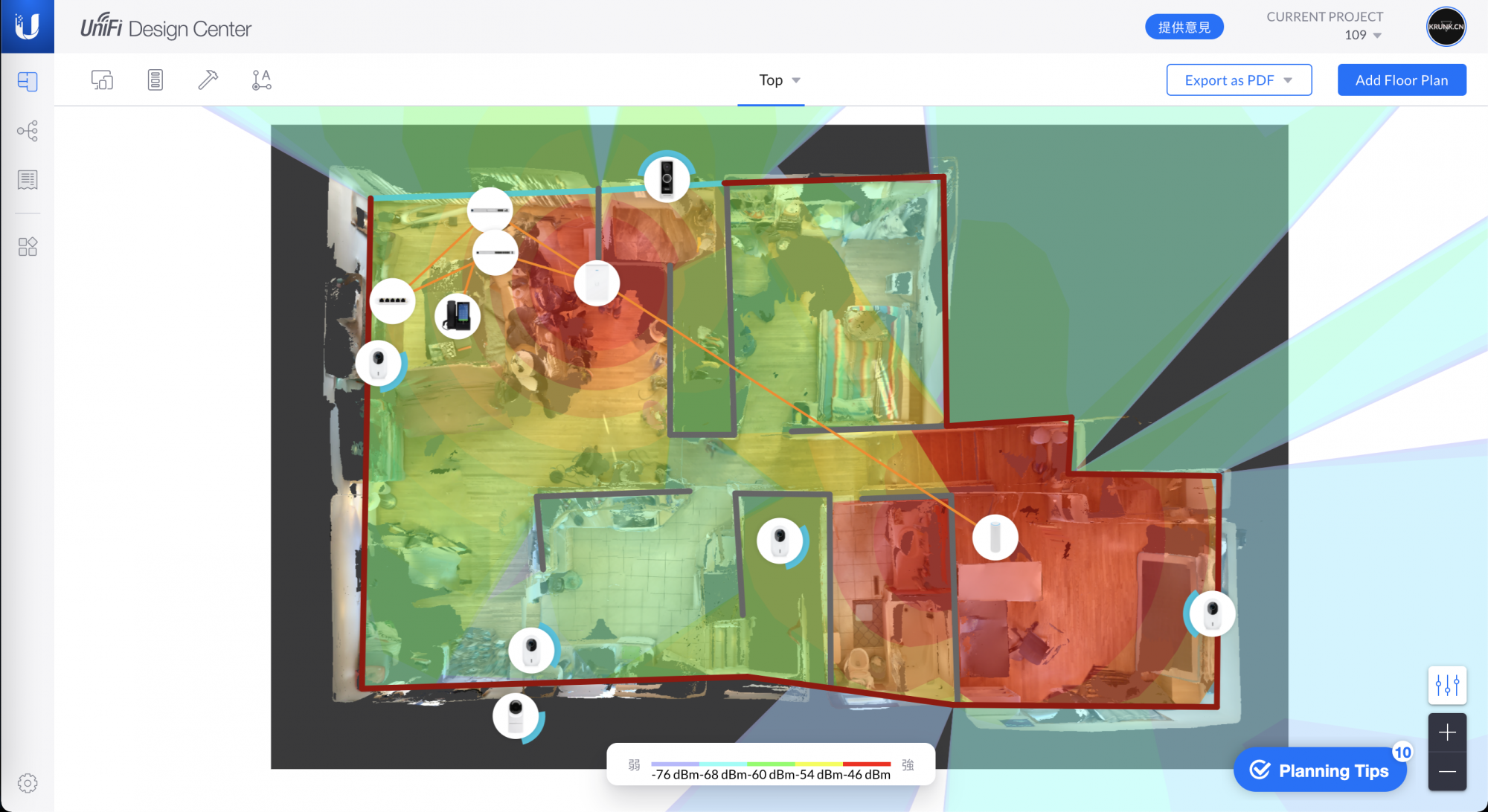
Predicted 5GHz network coverage
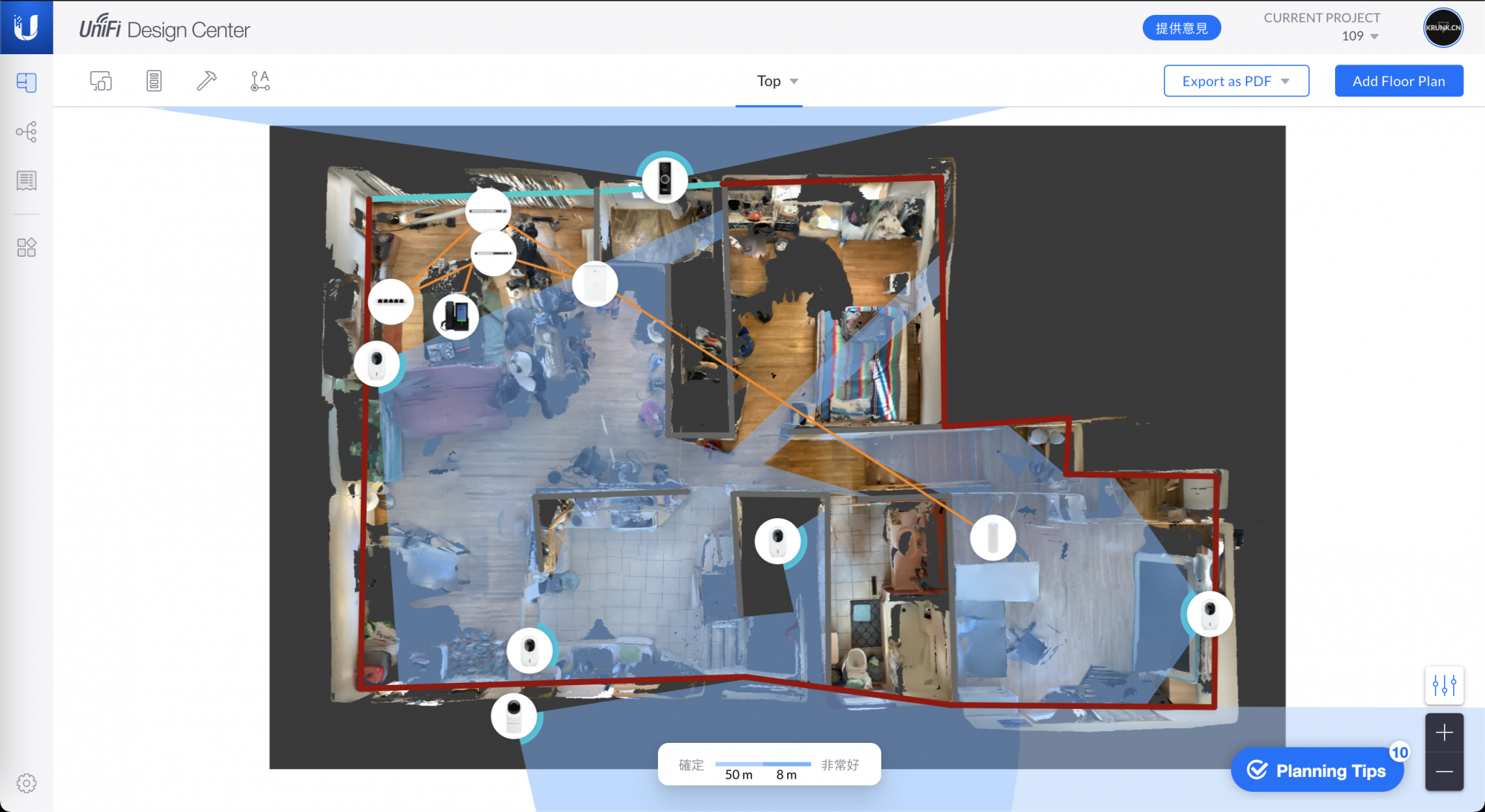
Planned Protect camera coverage
Unifi Network
Software: Network Controller
Unifi Network is the most important networking application in the ecosystem. (Honestly, although I find features harder to locate after the redesign, it really does look great.) “Simplify IT” is more than a slogan: quick deployment and easy maintenance are what draw me to UBNT products.
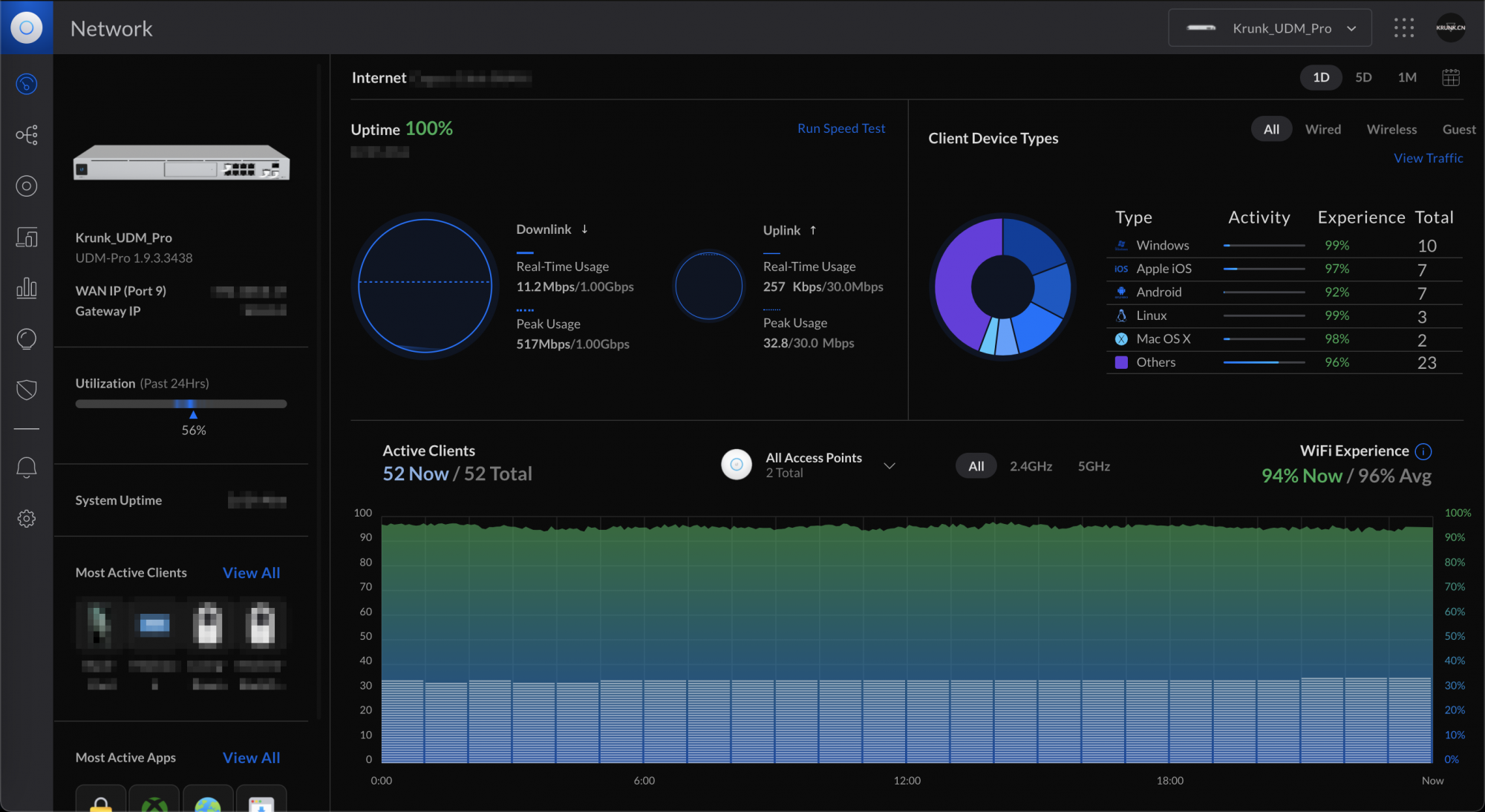
Network Dashboard
It monitors network usage across all devices, making it easy for me to find devices or services hogging the connection.
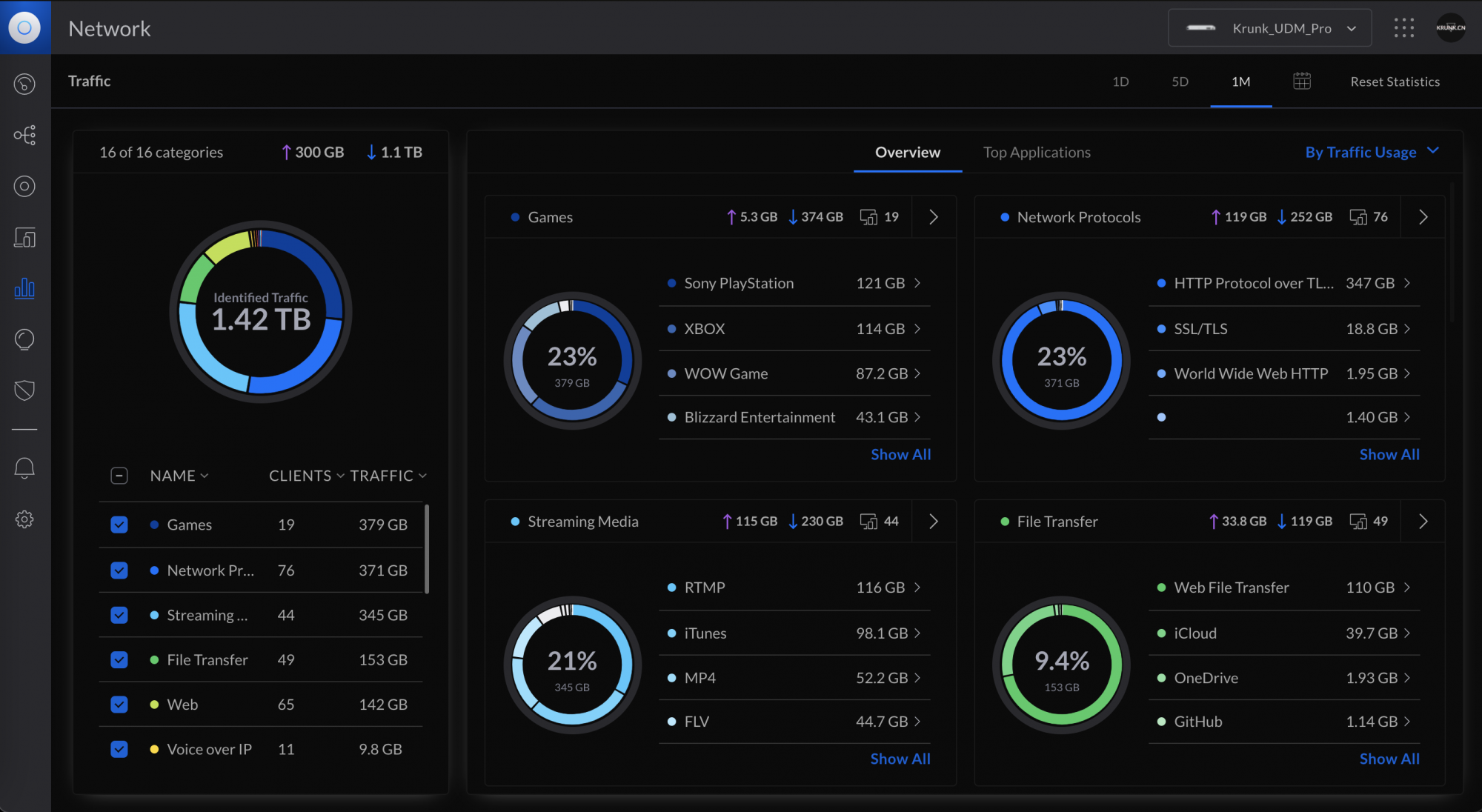
Statistic
Internet Threat Management can protect my servers from attacks
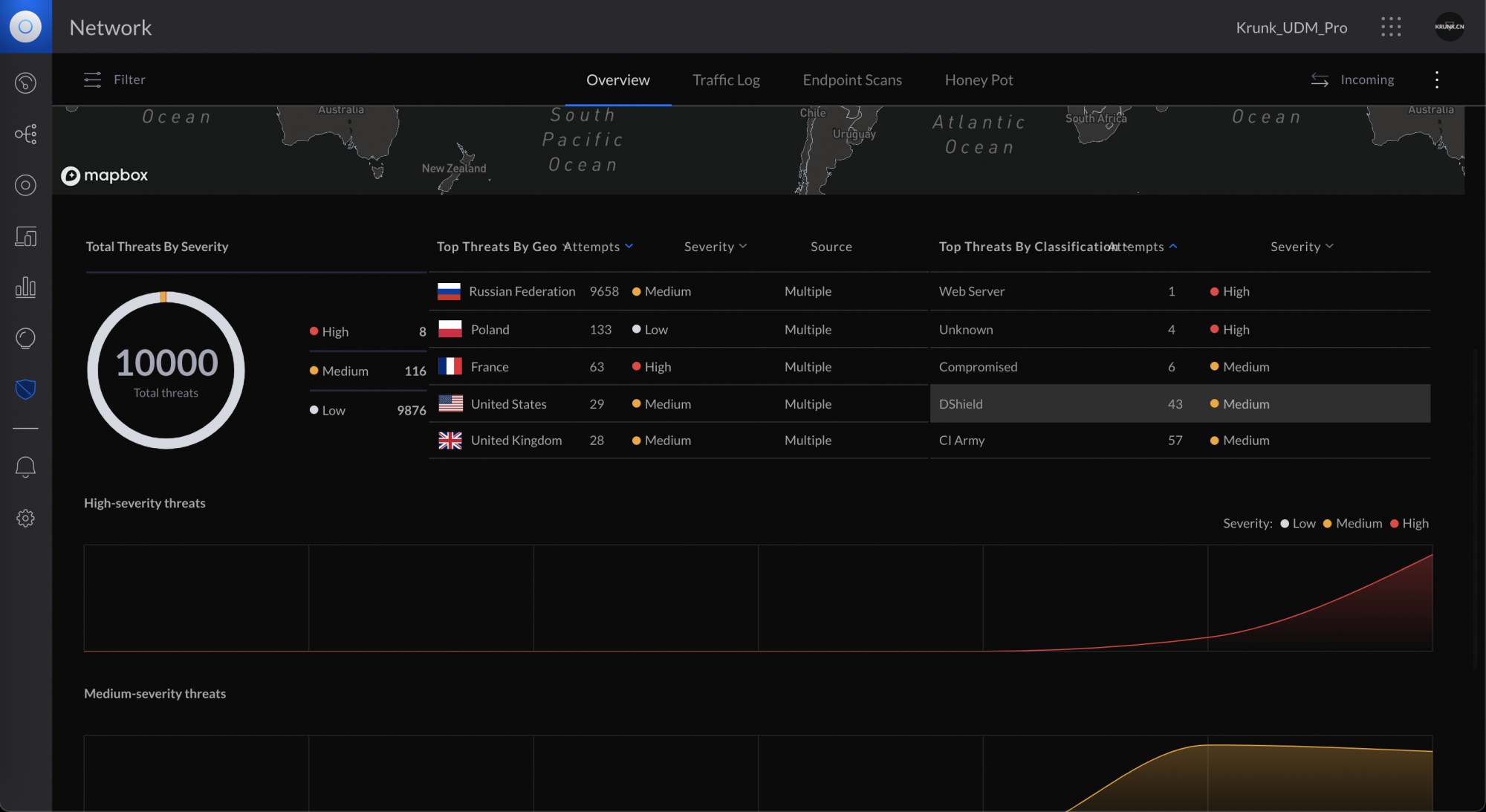
Internet Threat Management
The AR feature on the phone is incredibly useful too.
Hardware
Unifi device topology
- The UDMP and switch sit in a small rack in the living room.
- Switch Flex connects the TV, game consoles, and printer on the coffee table.
- AP Flex sits in the bedroom on the right in the picture above. (There is also a Netgear G108T switch in the bedroom connecting the computers.)
- The AP IW is in the living room at the upper left of the diagram above.
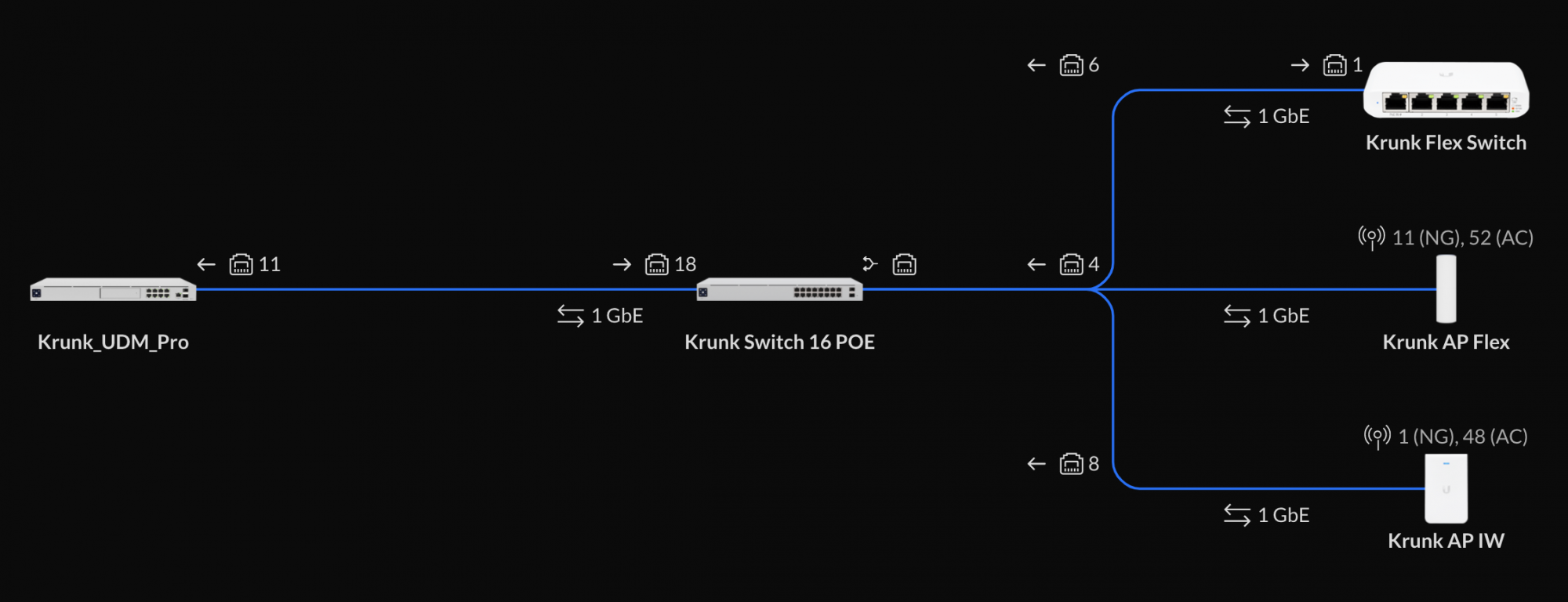
Unifi topology diagram
At the top of the photo below is the Unifi Switch 16 POE, with 8 POE+ ports.
In the middle is the Unifi Dream Machine Pro.
Below are the NAS and a small Windows Server machine, with a few little control boxes tucked farther inside (Obihai, Hue, the door-lock gateway, and the Xiaomi gateway).
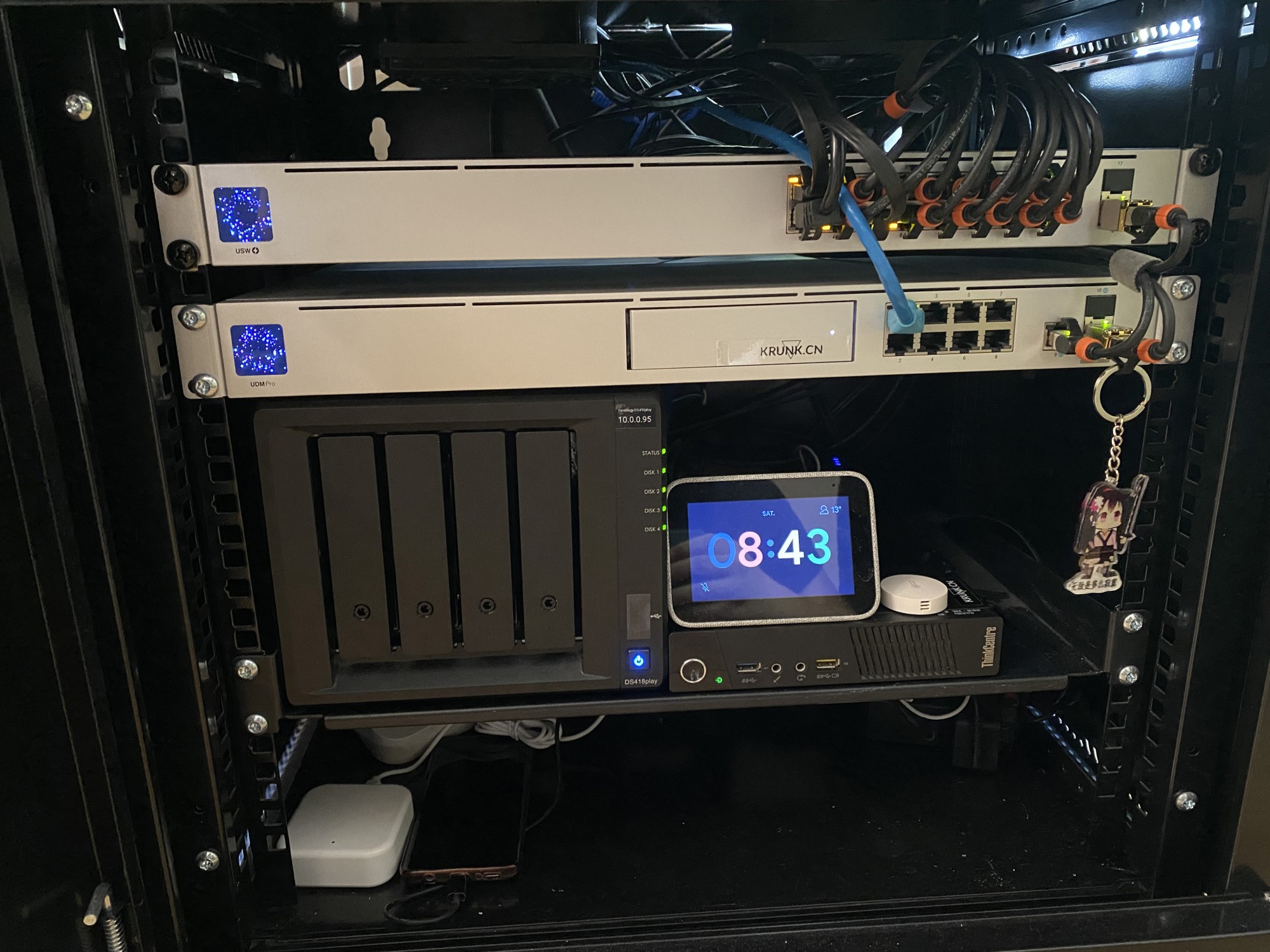
Server rack
The soda-can-shaped UAP Flex is one of my favorite APs: small and cute, fast and stable. I chose to put it on a shelf in my bedroom, where I spend most of my time online.
The UAP IW isn't particularly fast, but it's more than enough for our living room.
Below, the AP Flex speed test is on the left and the AP IW test is on the right, both taken while standing next to the AP. Our home connection is 1Gbps down and 30Mbps up, and I used an iPhone 11 Pro Max for the tests.
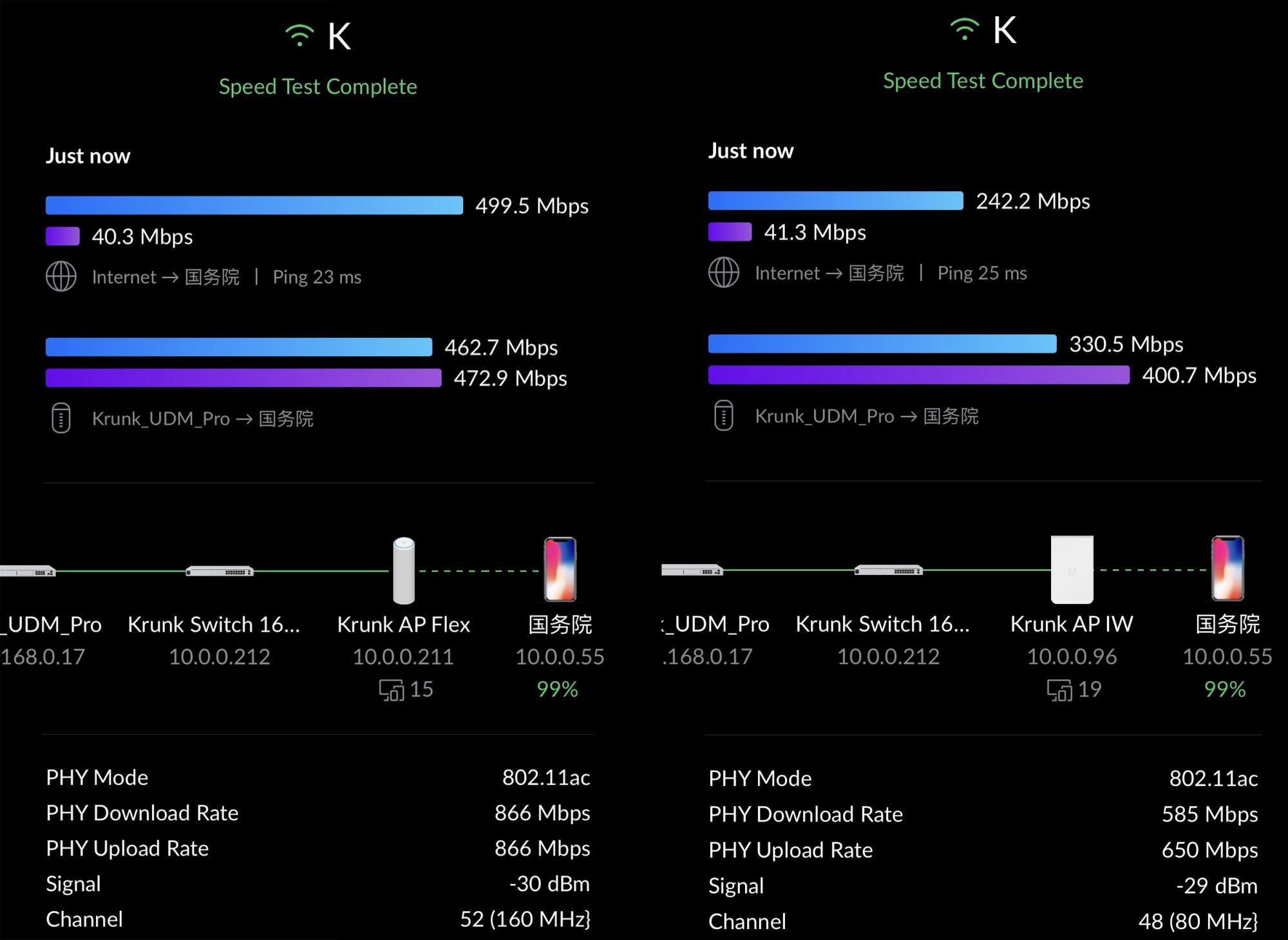
WiFiman speed tests
Next, I used WiFiman to test speeds in different locations. Upload speeds maxed out our internet connection everywhere. For now, I only need fast speeds in the bottom-right corner. I plan to replace the living-room AP with a Wi-Fi 6 model later (as soon as I can get one — they sell out instantly every time).
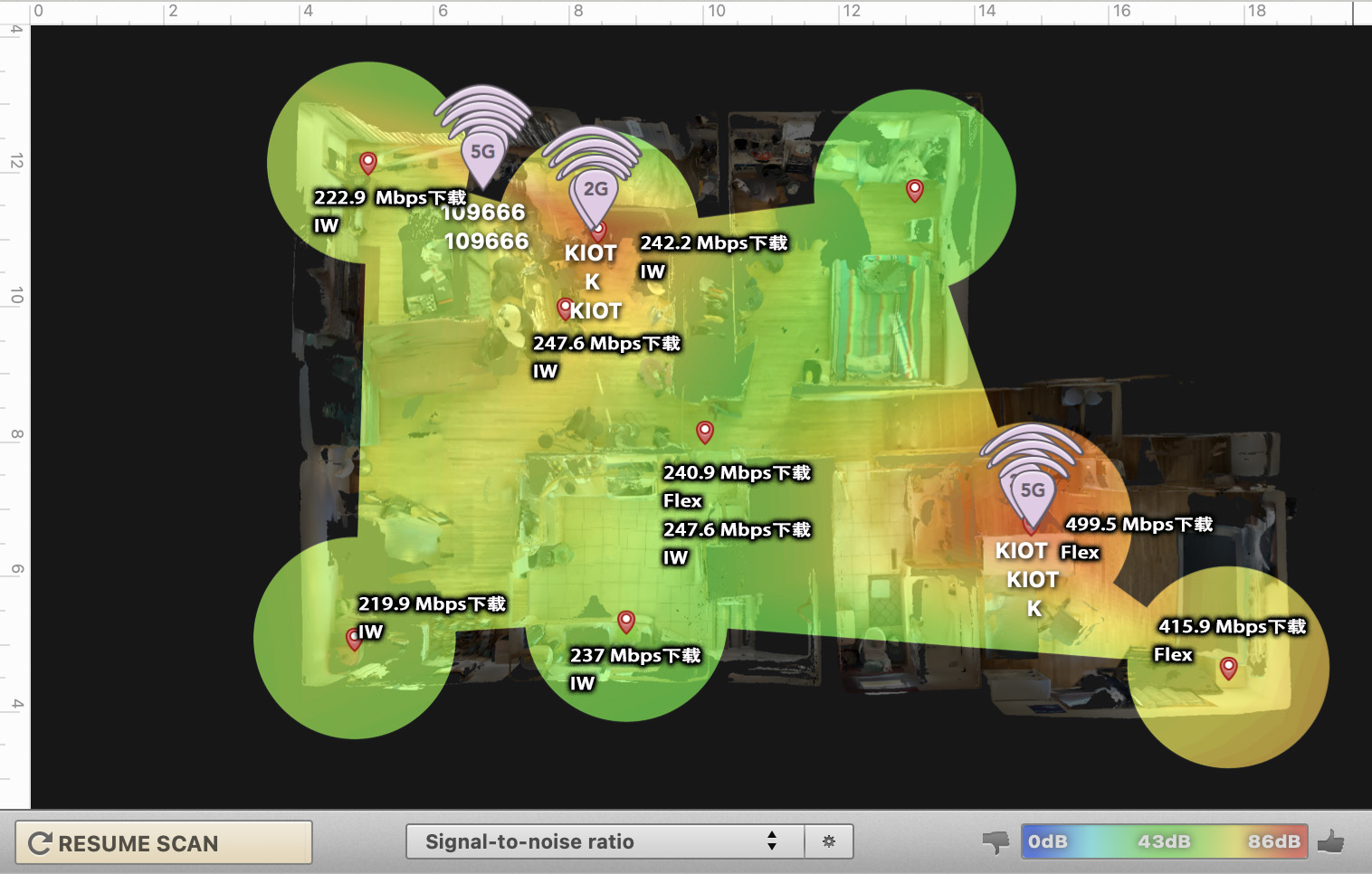
Wireless signal heatmap and speed-test results
The Cloud Key is a piece of hardware I really like: good-looking and powerful. Unfortunately, once I started using the UDMP, I no longer had a use for it. Such a shame (I love that little screen).
Unifi Protect
Software: Protect Controller
Protect is the best surveillance management software I have used. (Coming from Unifi Video, it feels like a huge leap forward.) Setup has never been this easy: just plug an Ethernet cable into a POE device, or tap Connect in the app for a wireless device.
All footage is stored on a local hard drive, so there's less reason to worry about data leaks. Most importantly, there are no monthly fees! You even get free remote access without port forwarding!
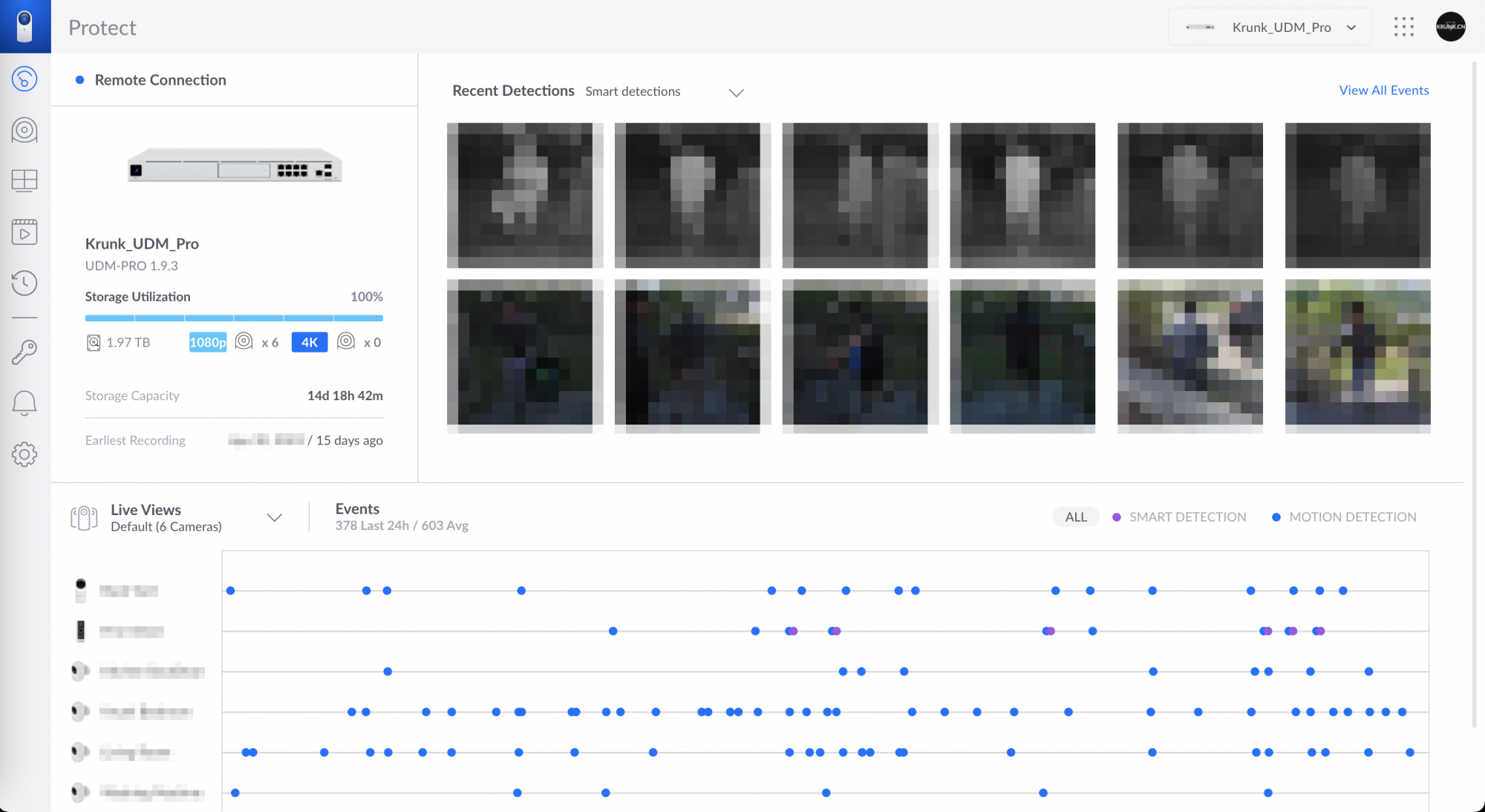
Dashboard
Doesn't this make me look like a security guard? (I've blurred it so you can't figure out where I live.)
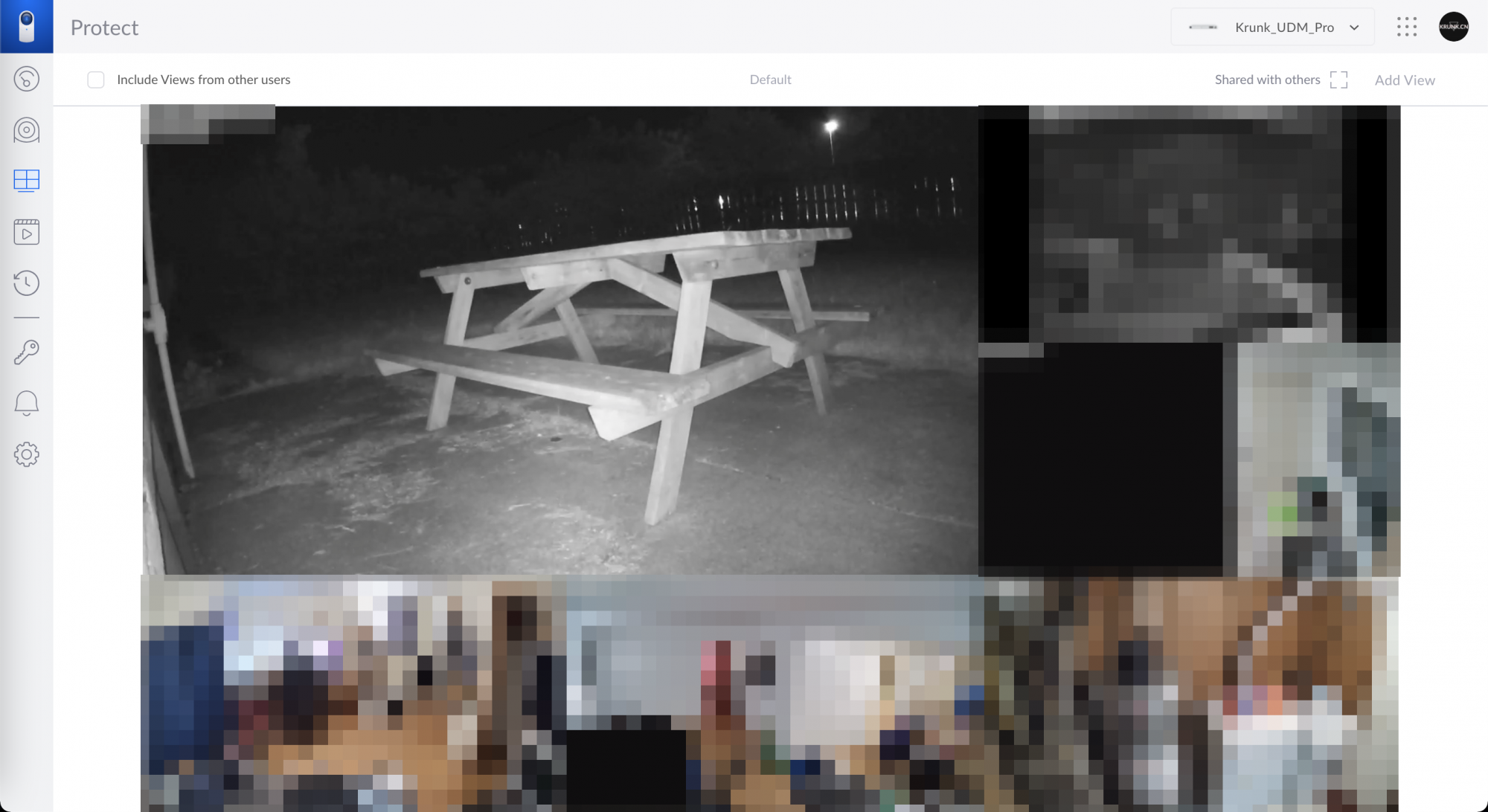
Live view (watching six cameras at once)
I connected Protect to HomeKit through Homebridge, so I can see my cameras and Smart Detection alerts in the Home app too.
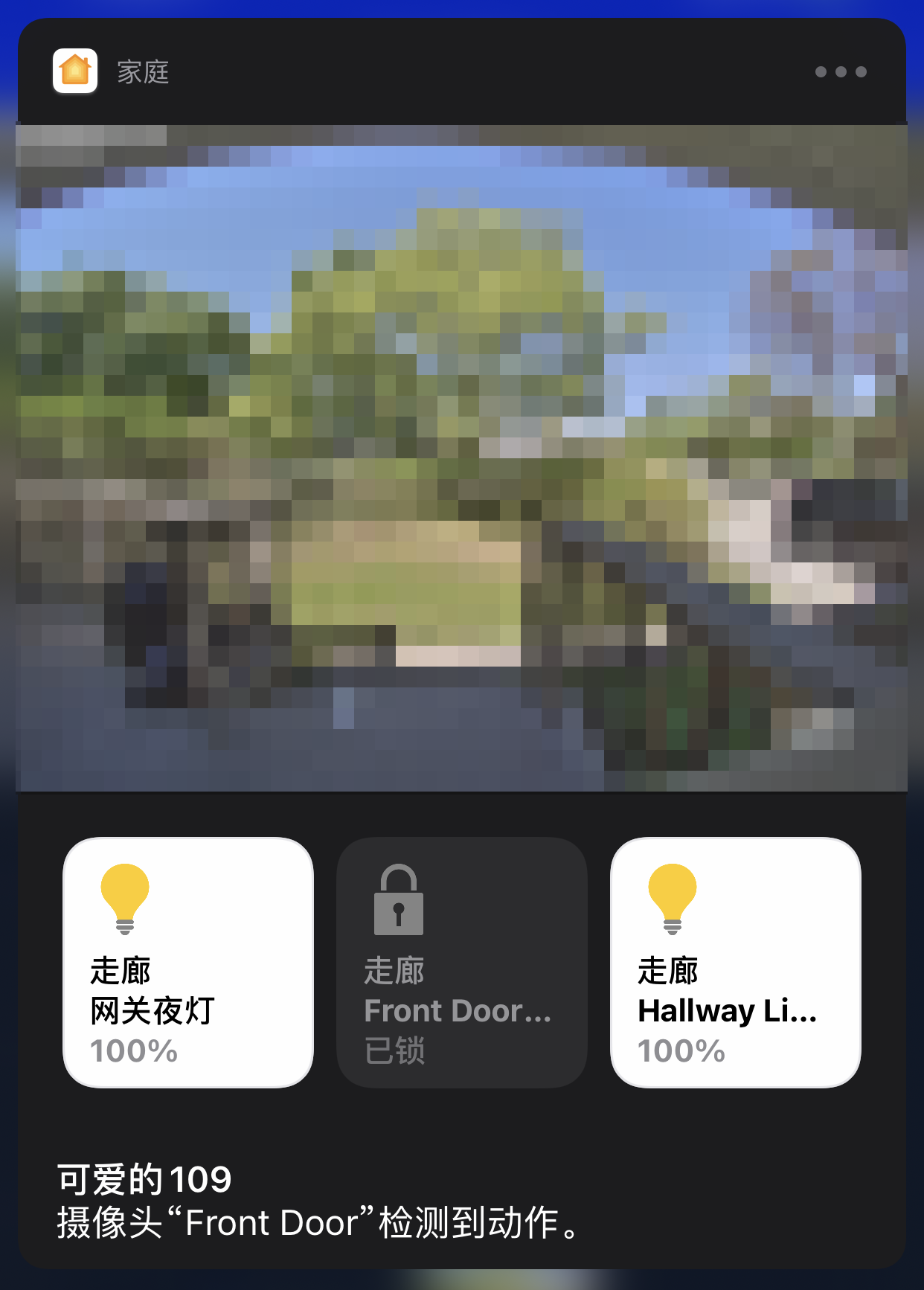
HomeKit notification
Hardware
Most Unifi Protect cameras use PoE for power. (I bought too few PoE switch ports = = Regretting that now.) So I replaced all the G3 Flex cameras I used indoors with G3 Instant Wi-Fi cameras. With the powerful UAP backing them up, I don't have to run cables to every location. (What do you think: did I lose out by trading three G3 Flex cameras for three G3 Instants?)
G3 Instant - A compact 1080p wide-angle Wi-Fi camera
I installed a G4 Doorbell at the front door. The G4 series' Smart Detection is genuinely useful: it tells me someone is at the door before they even ring. (No more missing deliveries that need a signature, and unlike some other brands, it doesn't alert me to every shadow or small animal.) It also has a little night light, so I can see the ground when I come home at night.
G4 Doorbell — a doorbell camera with Smart Detection
I installed a G3 Flex in the backyard to watch the little animals (raccoons often show up here).
G3 Flex - A small POE camera that can be used outdoors
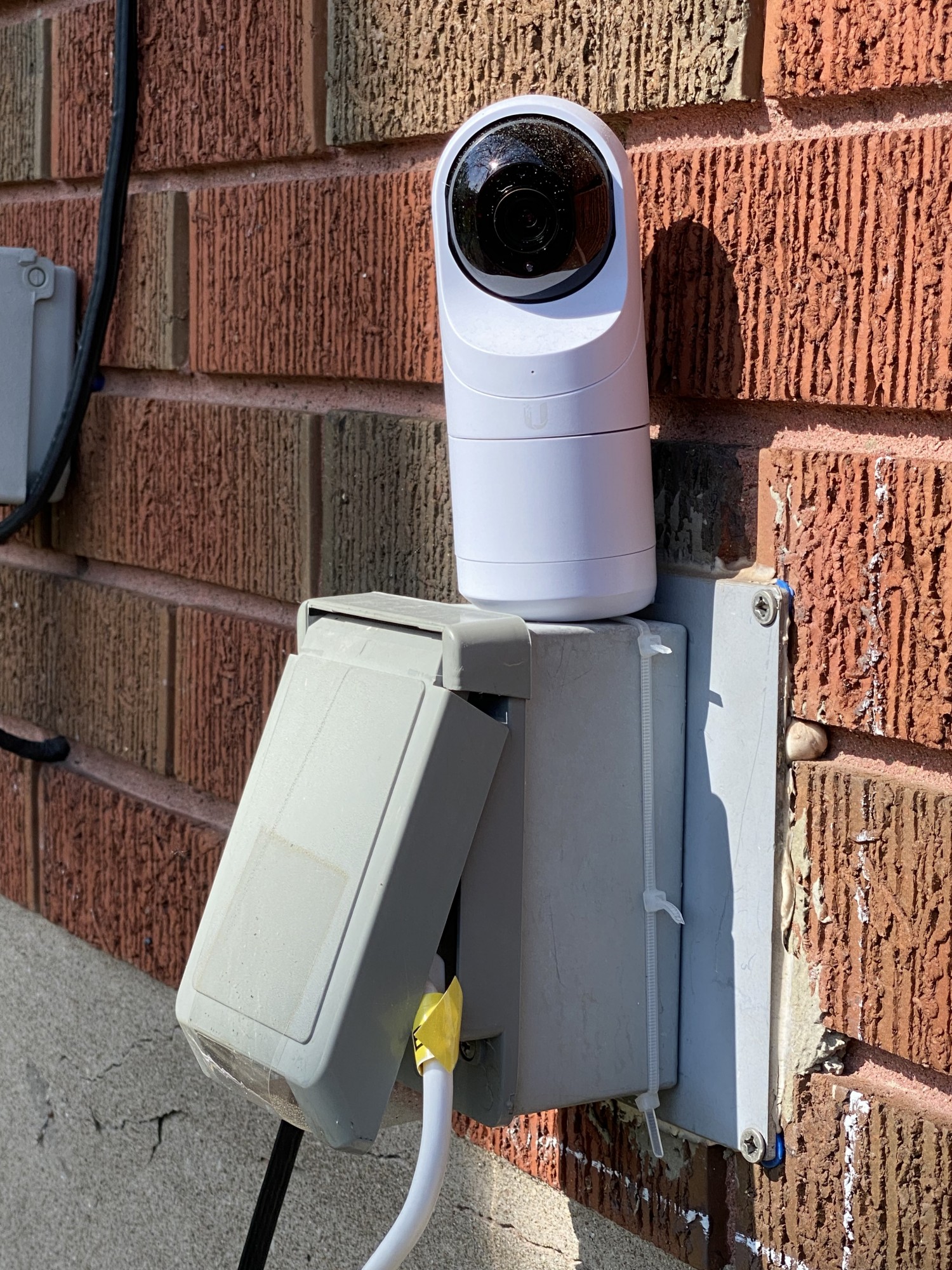
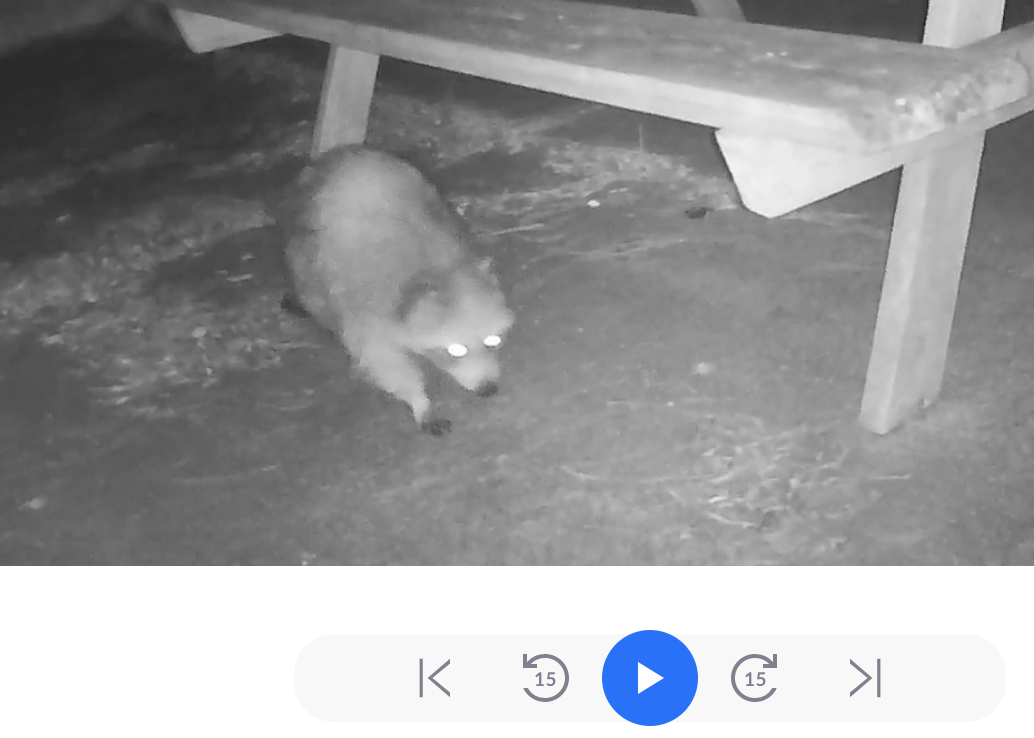
A little raccoon makes an appearance
My modified Unifi Protect desktop display. (It's the holidays, so there are no online classes; might as well put the little screen to use.)
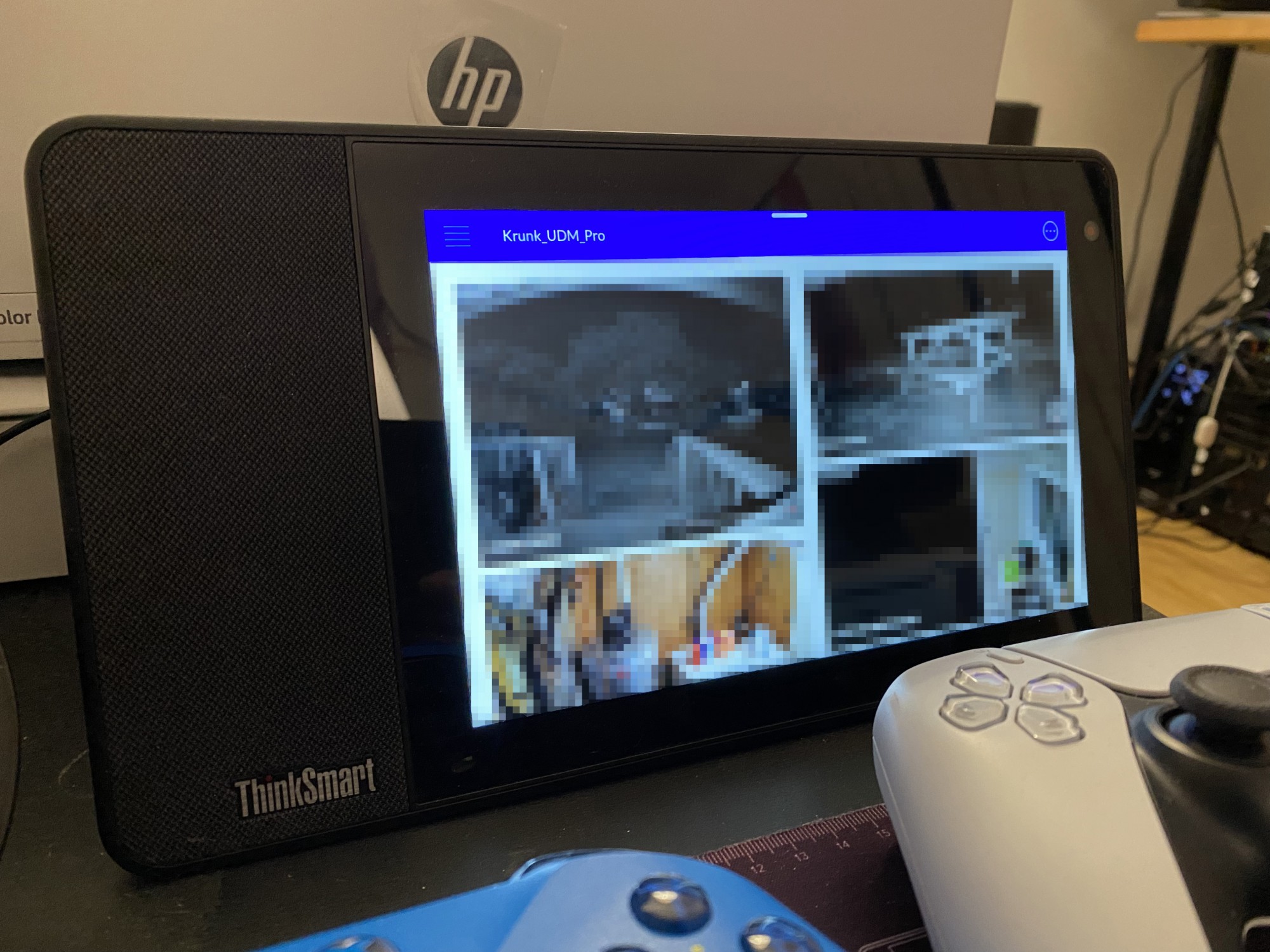
Lenovo ThinkSmart Display
Unifi VoIP (hey, Unifi Talk is out of reach for home users)
Desktop phone controller (managing just one phone...)
Hardware
Keeping it on the desk makes calls quite convenient, especially when I can't find my phone at home (you know how it is).
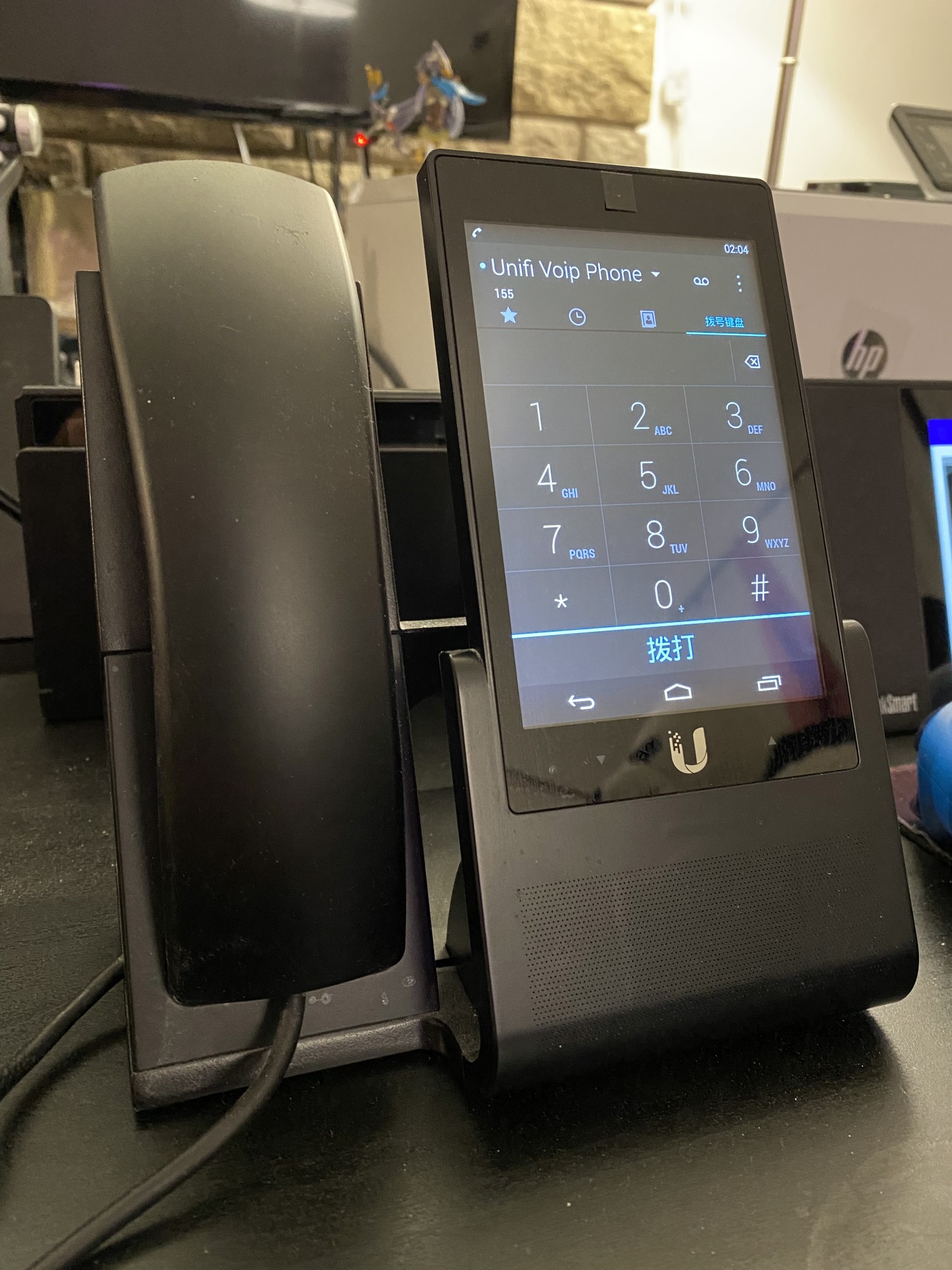
Unifi VoIP
The Unifi VoIP controller assigns a SIP account to the phone so it can connect to FreePBX. Connecting the PBX to Obihai over a SIP trunk (a little box that connects to Google Voice) lets me make free calls (with a friend's help!).
Software VoIP controller
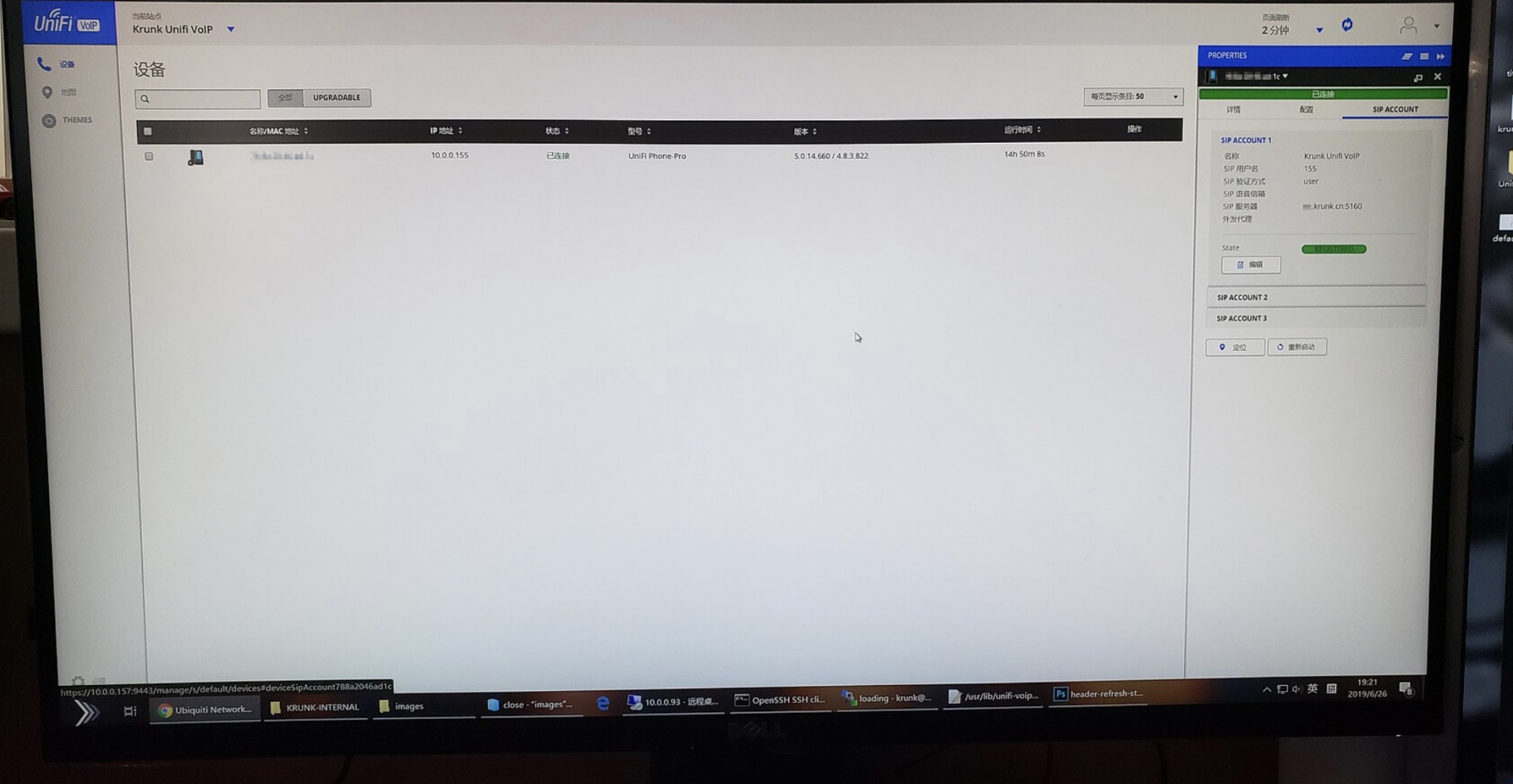
VoIP controller (I can't access it right now because of an SSL issue, but as long as it works = =)
I customized this interface myself quite a while ago, when Unifi Network underwent a major interface redesign.
(If Ubiquiti sees this, I hope they release a cheaper Unifi Talk setup for home use, or add trunk support...)
Unifi APP (Mobile)
Unifi Network & Unifi Portal
Unifi Protect
Unifi iDentity (UID)
One last thing: Ubiquiti is the GOAT!
Published 05/15/2021 · Krunk Zhou
Join the conversation