Fixing fluctuating backlight brightness on a Samsung smart TV
Many people blame power-saving mode for the dim picture, but even after you turn it off, the screen keeps changing brightness. (You should still turn it off.) It is especially unbearable when playing a game with dark scenes.
Symptoms: the backlight dims when the picture is dark and brightens when the picture is bright, making the screen constantly change brightness while you watch a movie or play a game.
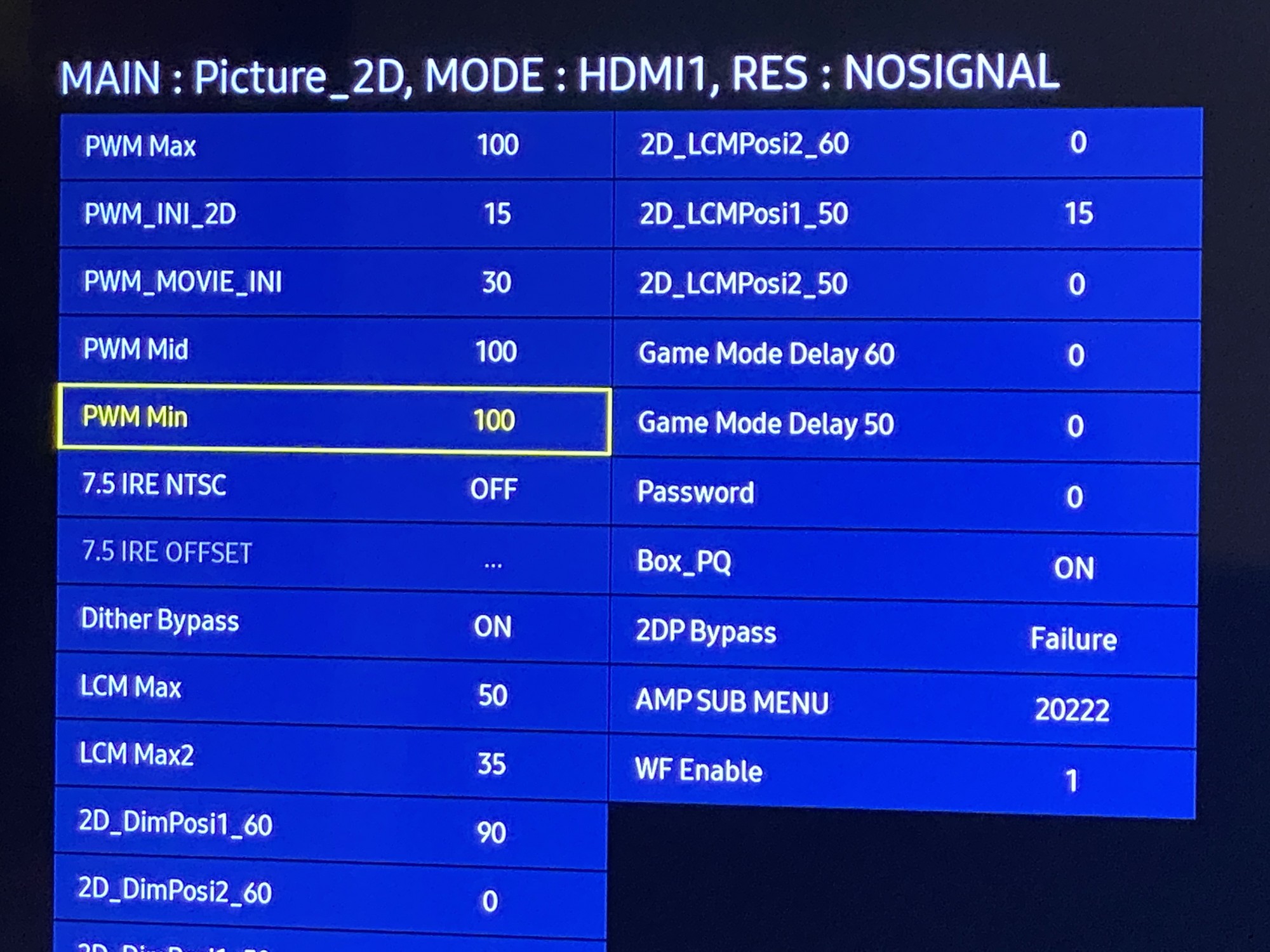
I found a parameter for adjusting the PWM backlight. Setting the minimum dimming level to 100% prevents the brightness from fluctuating again.
My TV models are UN43NU6900 and UN40K6250. I'll use the UN43NU6900 here. The procedure seems to be the same on most Samsung TVs.
Adjusting the settings
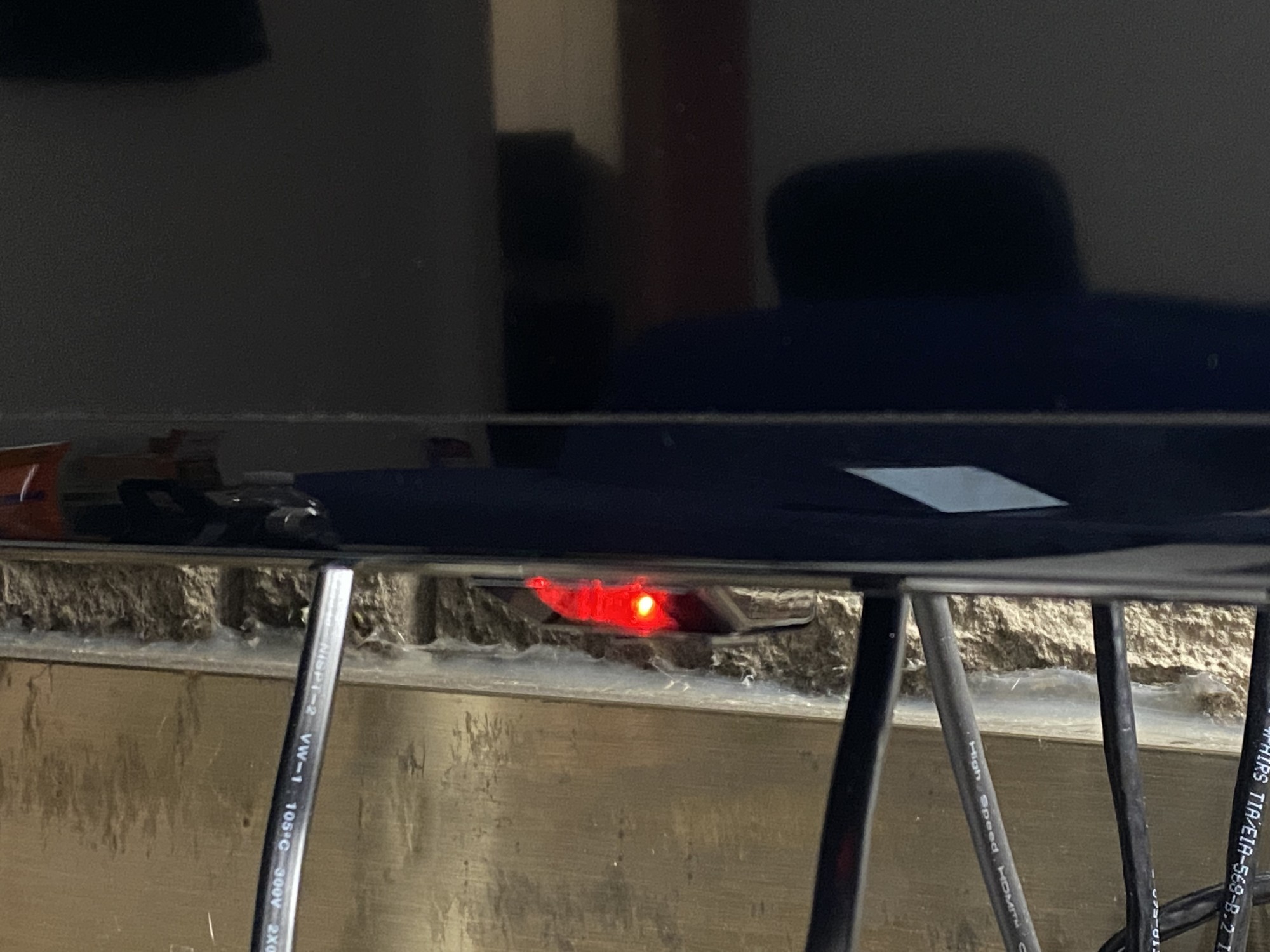
First, put the TV in standby (the screen is black and the power indicator stays on).
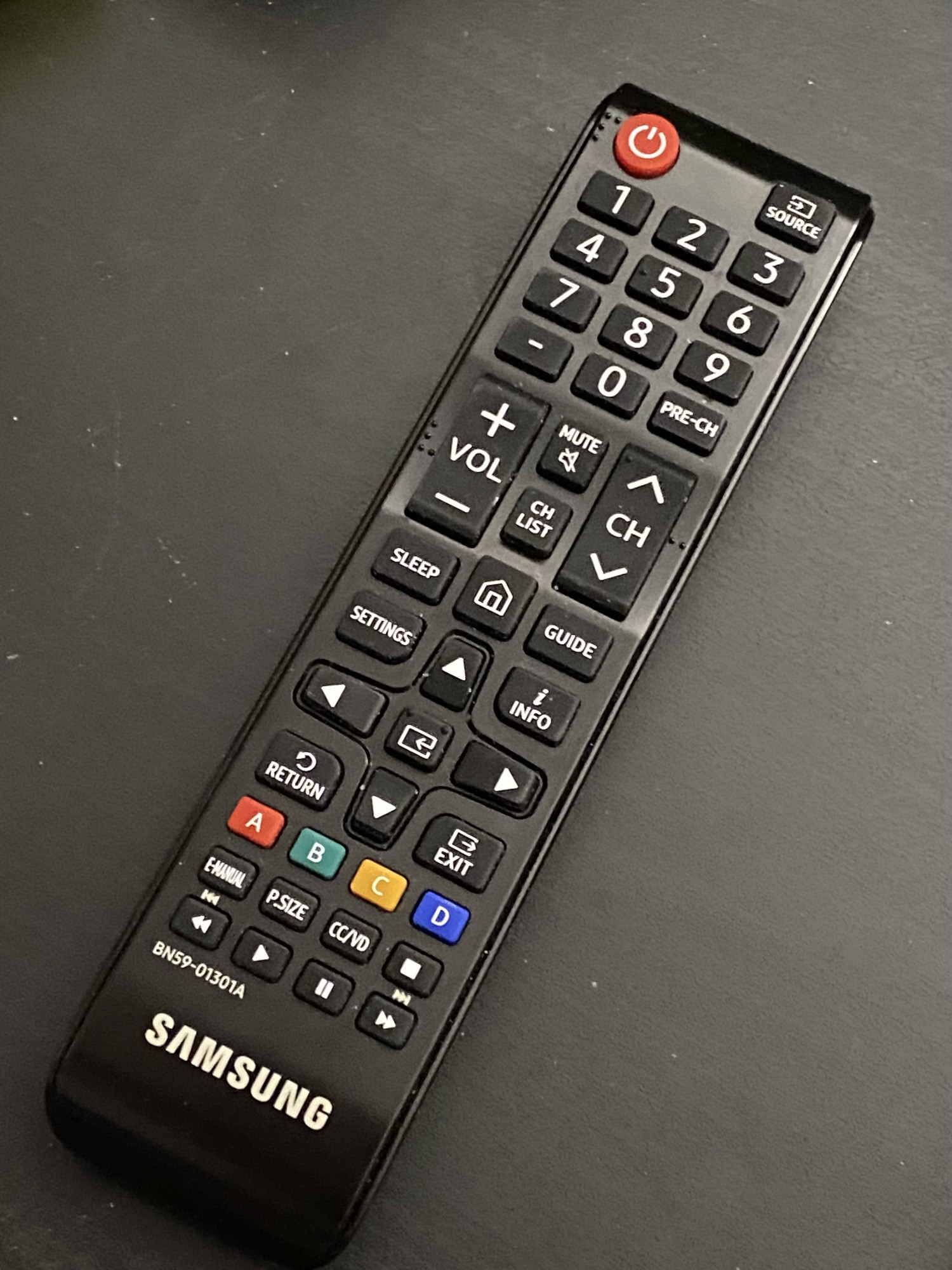
Use an ordinary infrared remote. (Samsung's Bluetooth smart remote doesn't seem to work for this.)
Press Mute - 1 - 8 - 2 - Power in that order. (If it doesn't open, try pressing more slowly: wait for the red light to flash before pressing the next button.)
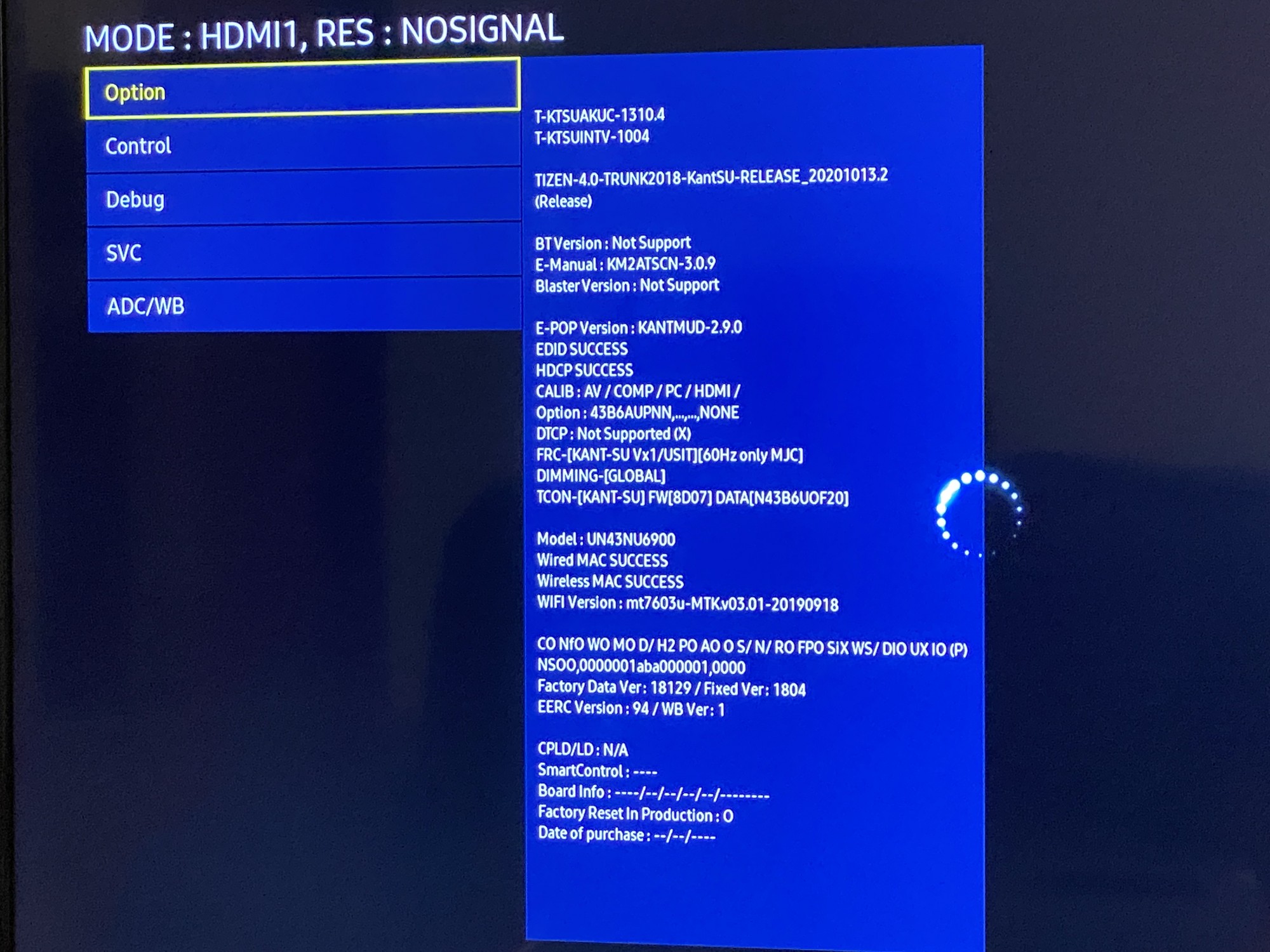
The startup logo will appear. Wait a little after the TV starts, and you will enter the Service Menu.
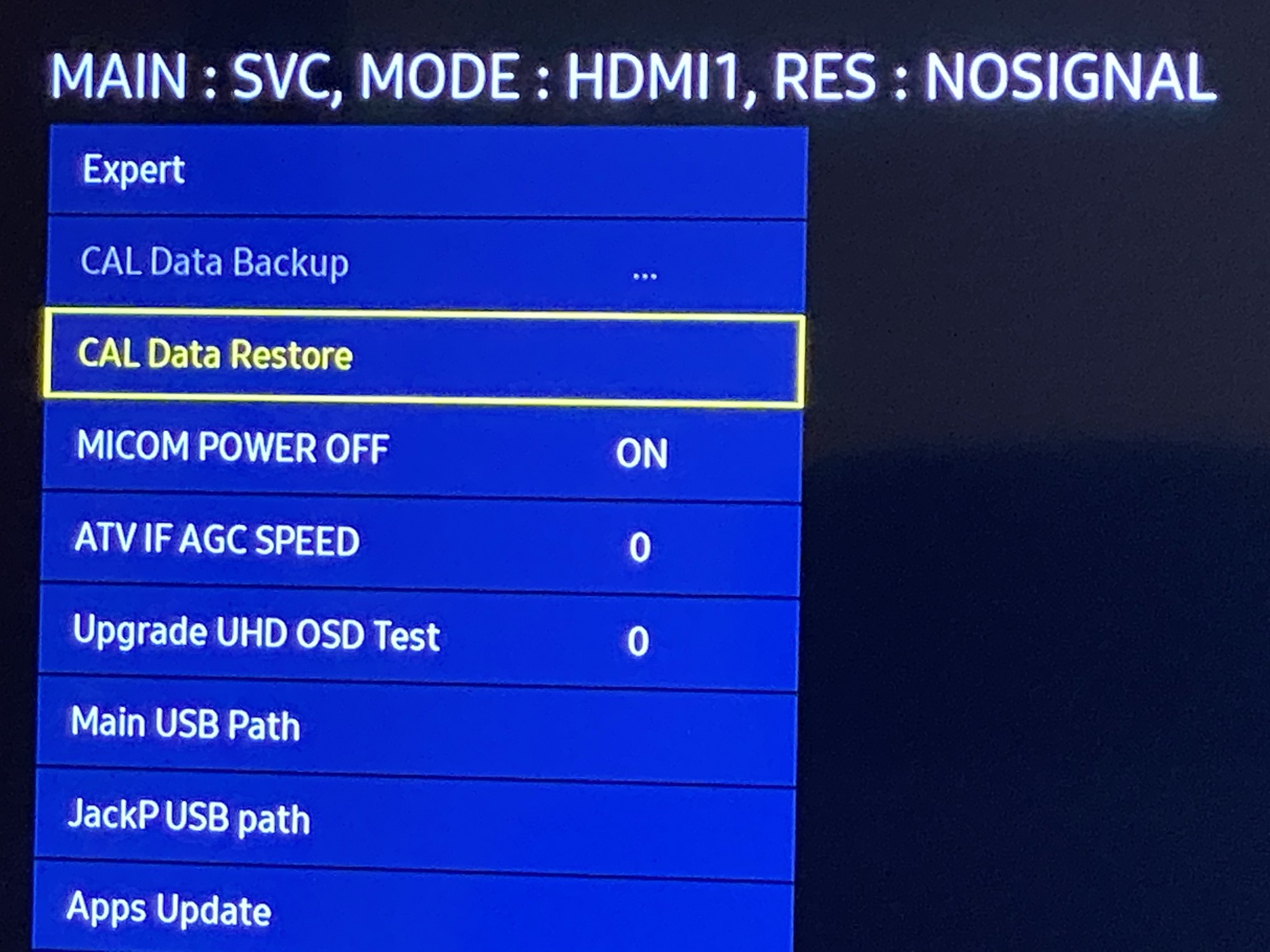
Open the SVC menu, then Other Setting, and finally select CAL Data Restore. (It will say that no USB device is connected; just click OK to dismiss it. This unlocks the advanced menu.)
Go back to the main screen and you will see Advanced at the bottom. Highlight it, then press 0 four times on the remote (0000, the access code).
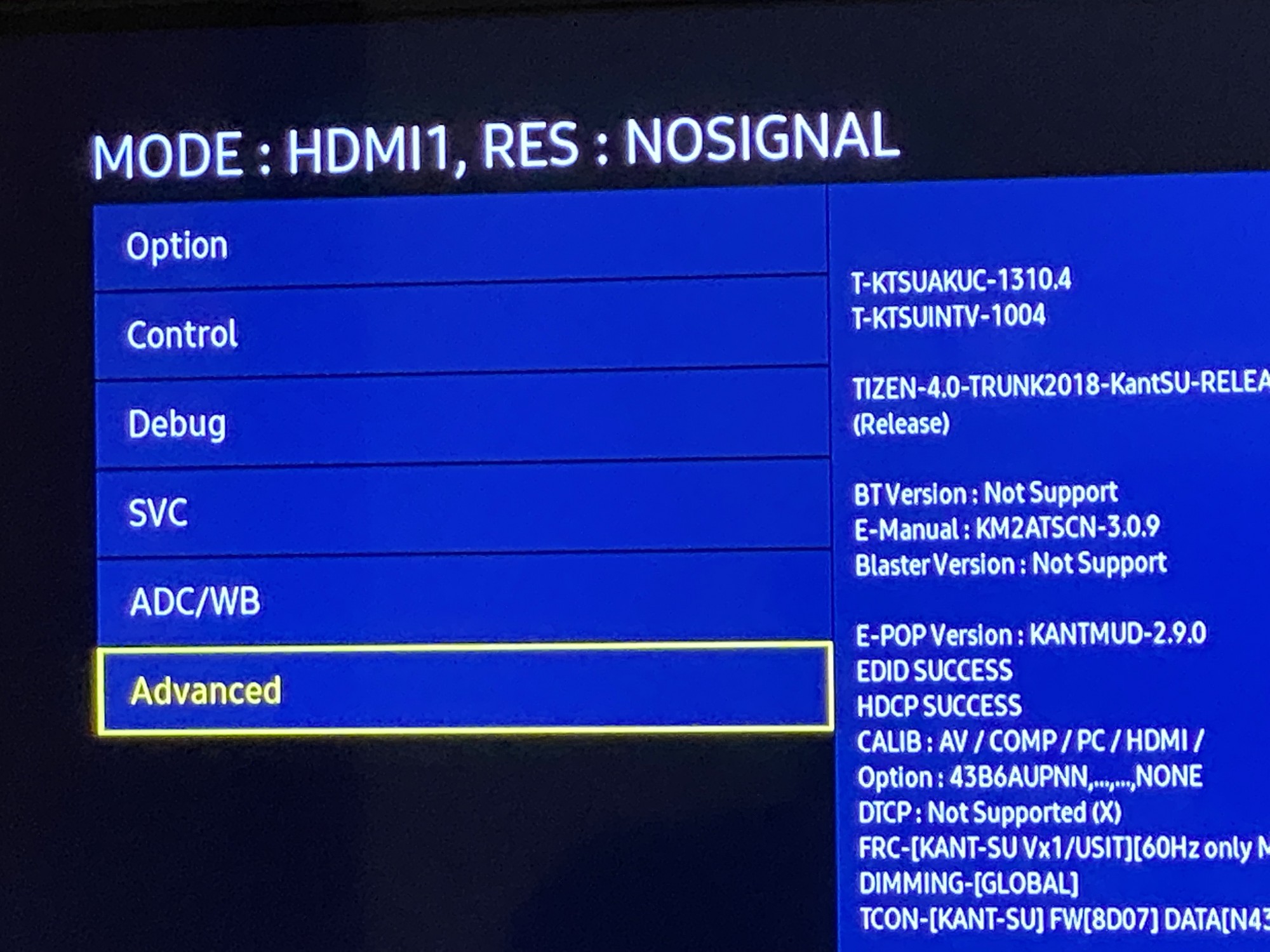
More menu options will appear. Open the Picture_2D menu, then the SubSetting menu.
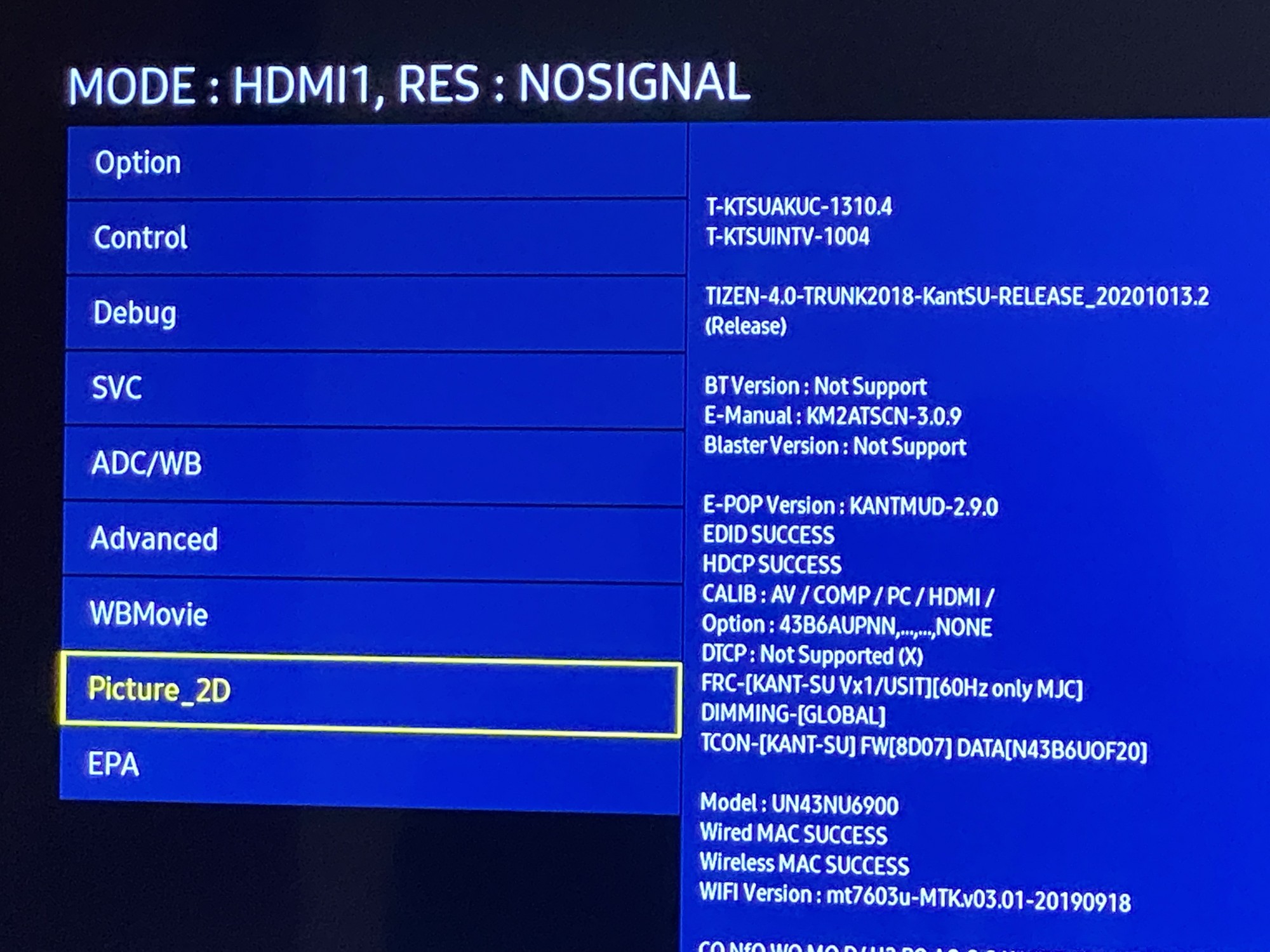
Change PWM Min and PWM Mid to 100 (some forum users also suggest setting PWM_MOVIE_INI to 100, but it seems to have no effect unless Movie mode is enabled).
Press the power button to turn it off, wait a couple of seconds, and turn it back on. The screen will still be dim at first, but once it brightens, it won't keep fluctuating anymore!
Published 05/17/2021 · Krunk Zhou
Join the conversation