Blogging / Computer projects
A WordPress Plugin for Updating Your Domain in One Click
I've changed domains again, this time from 86k.xyz to krunk.cn!
I recommend this plugin to beginners with no coding experience, or those who don't even know what phpMyAdmin is. It's a breeze to use! 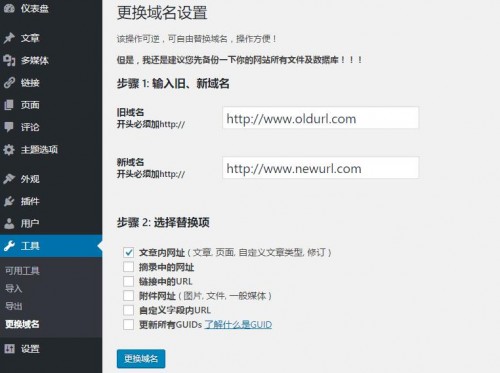 Download the plugin, upload and activate it, then configure it under Tools → Change Domain. [need_reply]http://d.krunk.cn/Blog_Download/changesdomain.zip https://krunk.lanzoui.com/i14dmje[/need_reply] Even after the success message appears, there's one step left. You still need to go to WordPress Admin → Settings → General and change both the WordPress Address and Site Address to your new domain URL!! Adapted from 2ZTT.
Published 05/29/2018 · Krunk Zhou
Join the conversation