Monitoring a Webpage and Sending Notifications with Python and Selenium
A few days ago, I started exploring web scraping with Python. As it happened, I needed a crawler that could monitor a webpage over a long period and notify users by email when it detected a specified change.
I used Selenium and geckodriver to control Firefox.
Results:
Send an email and display a notification when an amount appears on the page.
When the page is empty, start a countdown for a random interval and wait for the next check.
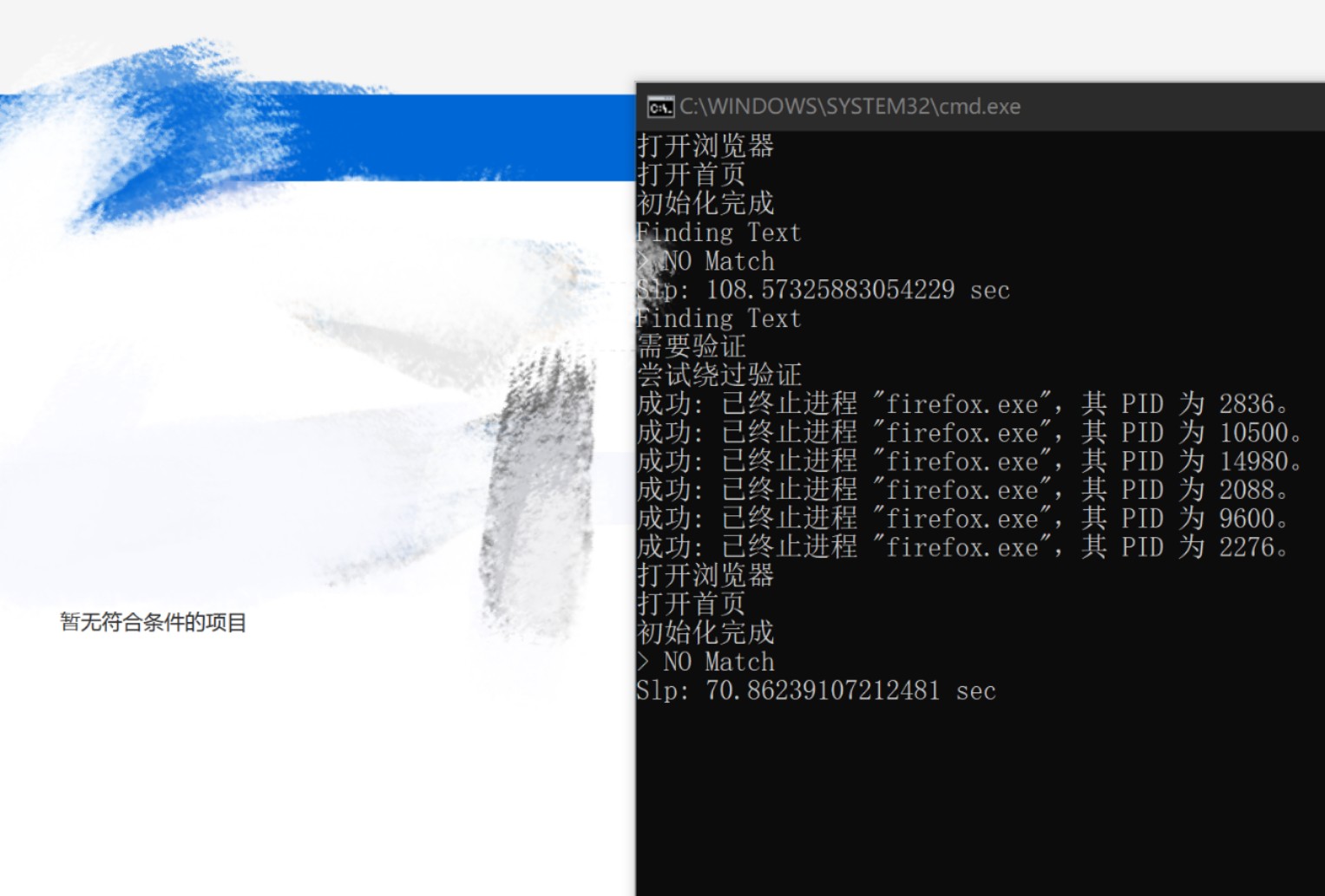
When there is no content
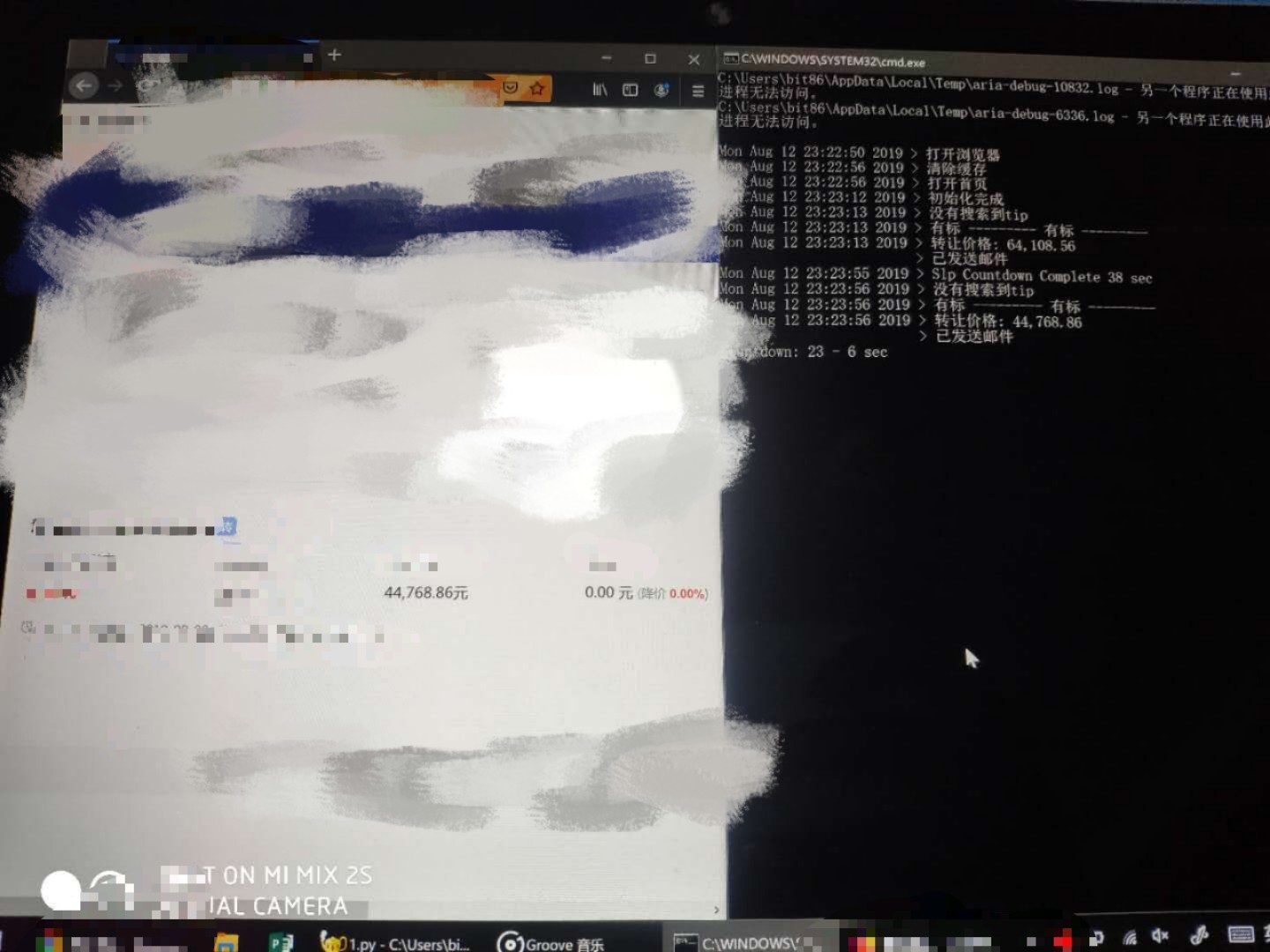
When content is available
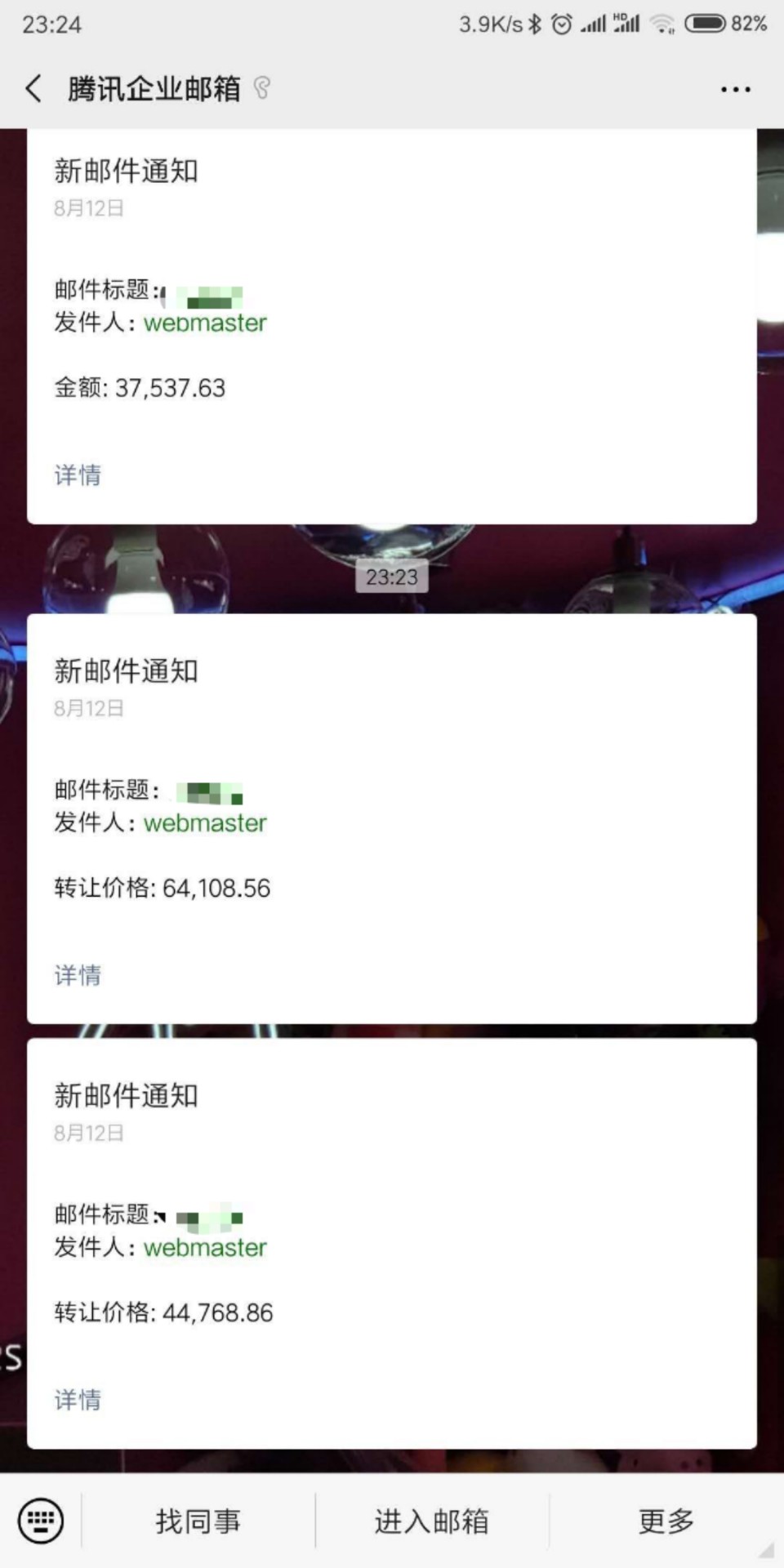
Email notifications
The program:
Install the missing modules, Firefox, and geckodriver:
pip install requests
pip install selenium
These are the settings we need:
# 程序设置 ##############

selectUrl=1 #选择需要使用的url 此处已隐藏 # 1. # 2. # 3. # 4.
slpMaxTime=40 # 最大睡眠时间(秒)
slpMinTime=20 # 最小睡眠时间(秒)
headerlessSetting=1 # 1.隐藏浏览器窗口
clearCacheSetting=1 # 1.清除Temp缓存文件夹
deleteCookies=1 # 1.每次启动清除Cookies
sendMailToReceiver=1 # 1.发邮件给收件人
sendMailToSender=1 # 1.抄送给发件人
sendMailWhenStart=0 # 1.启动时发送邮件
debugInfoDisplay=0 # 1.Debug信息显示

# 邮件设置 ##############

port = ******   #stmp端口
smtp_server = "******"  #stmp地址
sender_email = "******"  #发件箱
receiver_email = "******"  #收件箱
stmp_password = "******"  #发件箱密码

########################

def setUrl():
global homepageurl,zhuanrangurl,mailName
if selectUrl==1: #选择设置
homepageurl="https://" #URL
zhuanrangurl="https://" #URL
mailName= "1"
# ... elif selectUrl== ... :
else:
print("请选择一个类型 - selectUrl设置有误")
exit()
print("正在使用 - "+mailName)
if headerlessSetting == 1:
os.environ['MOZ_HEADLESS'] = '1' #隐藏浏览器窗口
These are the modules to import, including the scraper and email modules:
from selenium import webdriver
from selenium.webdriver.common.action_chains import ActionChains
from email.mime.text import MIMEText
import unittest
import time
import os
import random
import requests
import smtplib
import ssl
First, create a class:
class catchtext(unittest.TestCase):
Initialize the program:
def setUp(self,homepageurl,zhuanrangurl): #初始化
if clearCacheSetting == 1:
clearCache() #清除缓存文件夹
print(str(time.ctime())+" > 打开浏览器进程")
self.driver=webdriver.Firefox() #开启Firefox
if deleteCookies==1:
if debugInfoDisplay==1:
print(str(time.ctime())+" > 清除缓存")
self.driver.delete_all_cookies() #清除所有缓存
if debugInfoDisplay==1:
print(str(time.ctime())+" > 打开首页")
self.baseurl=homepageurl #首页URL
browser=self.driver
browser.get(self.baseurl)
self.baseurl=zhuanrangurl #转让页URL
if debugInfoDisplay==1:
print(str(time.ctime())+" > 初始化完成")
Find the specified tag, “product-name”:
def findtext(self): #开始查找
browser=self.driver
browser.get(self.baseurl)
catchtext.checkauth(self) #检测验证
#flag=catchtext.isElementExist(self, "//div[@class='tip']") #查找class 依据tip标签
productFlag= catchtext.isElementExist(self, "//dt[@class='product-name']") #查找class 依据product-name标签
#if flag==False:
#print(str(time.ctime())+" > 没有搜索到tip")
if productFlag:
print(str(time.ctime())+" > --------- 成功找到标签 ---------")
catchPrice = browser.find_element_by_xpath("//em[@class='num-style']")
catchList = catchPrice.text.split(' ')
print (str(time.ctime())+" > 数量: "+catchList[0])
mail = MIMEText('数量: '+str(catchList[0])) #邮件内容
mail['Subject'] = mailName #邮件标题
mail['From'] = "My Python Program" #发件人名称
mail['To'] = "User"  #收件人名称
sendmail(mail.as_string()) #发送邮件
if debugInfoDisplay==1:
print(" "*25+"> 已发送邮件")
os.system('z.mp3') #有标时播放音乐
else:
print(str(time.ctime())+" > Nothing")
Check whether the tag exists.
def isElementExist(self,element): #判断指定element是否存在
flag=True
browser=self.driver
try:
browser.find_element_by_xpath(element)
return flag
except:
flag=False
return flag
Look for the verification image tag to see whether the site requires a CAPTCHA. On the site I was monitoring, I could bypass it by terminating the browser process, reopening the home page, and then opening the page I wanted to check.
def checkauth(self):#检测是否需要验证 依据验证图片
authflag=catchtext.isElementExist(self, "//div[@class='verifyImg']")
if authflag:
#os.system('y.mp3') #需要验证时播放音乐
print(str(time.ctime())+" > 正在尝试绕过验证")
os.system("taskkill /f /im firefox.exe") #关闭Firefox
catchtext.setUp(unittest.TestCase,homepageurl,zhuanrangurl) #重启浏览器
browser=self.driver
browser.get(self.baseurl)
catchtext.checkauth(self) #再次检测
All of the definitions above are in the catchtext class.
Send an email:
def sendmail(newmessage): #发送邮件
context = ssl.create_default_context()
with smtplib.SMTP(smtp_server, port) as server:
server.ehlo()
server.starttls(context=context)
server.ehlo()
server.login(sender_email, stmp_password)
if sendMailToReceiver == 1:
server.sendmail(sender_email, receiver_email, newmessage) #发送邮件给收件人
if sendMailToSender == 1:
server.sendmail(sender_email, sender_email, newmessage) #抄送给发件人
Countdown timer:
def timer(slptime): #计时器
for x in range(slptime):
mystr = "Countdown: "+str(slptime)+" - "+str(slptime-x)+" sec   "
print (mystr,end = "")
print ("\b"*(len(mystr)),end="",flush=True)
time.sleep(1)
if debugInfoDisplay==1:
print(str(time.ctime())+" > Slp Countdown Complete "+str(slptime)+" sec")
Clear the cache folder (terminating Firefox doesn't clear its cache, which will eventually fill up the C drive):
def clearCache(): #清除缓存文件夹
print(str(time.ctime())+" > 清除缓存文件夹")
try:
cacheClear=os.popen(r"rd /s /q %userprofile%\AppData\Local\Temp") #清除缓存文件夹
print(cacheClear.read())
except:
print(str(time.ctime())+" > 清除缓存文件夹时有错误发生或文件被占用")
Main (I revised this many times, so the code may be a little messy):
def main(): #主程序
catchtext.setUp(unittest.TestCase,homepageurl,zhuanrangurl) #初始化
if sendMailWhenStart==1:
mail = MIMEText('初始化完成') #邮件内容
mail['Subject'] = '程序开始运行并初始化完成'
mail['From'] = "My Python Program" #发件人名称
mail['To'] = "User"  #收件人名称
sendmail(mail.as_string()) #发送首次初始化成功邮件
while True:
try:
catchtext.findtext(unittest.TestCase) #查找关键词
except: #浏览器被关闭或运行错误尝试重新开启
print ("Unknow Error - Try to restart - Maybe Firefox Closed - Debug on")
global debugInfoDisplay
debugInfoDisplay=1
main()
slptime=int((slpMaxTime-slpMinTime)*random.random()+slpMinTime) #睡眠长度 20-120sec 公式:(max-min)*random+min
timer(slptime) #开启计时器

setUrl()
while True:
try:
os.system("taskkill /f /im firefox.exe") #关闭Firefox
main() #运行main
except: #运行错误再尝试运行
time.sleep(60)
print ("Unknow Error - Try to restart - Maybe no internet - Debug on")
debugInfoDisplay=1
os.system("taskkill /f /im firefox.exe") #关闭Firefox
Download:
Download the bundle containing everything above.
Published 10/15/2019 · Krunk Zhou
Join the conversation