How to send your WP comments to QQ — the Comment2QQ plugin
Sending WordPress comment notifications to QQ seemed like a fairly new idea, and I couldn't find an existing plugin online. So—yes, “so” again—I wrote another plugin myself.

The Comment2QQ plugin can send all WordPress comments to a QQ group in real time.
Installation
1. Upload it to the plugins directory.
2. Find a QQ group, invite the official Hook bot (QQ number 2854196399) to the group, and click the bot's avatar.
3. Open Message Push, then click Push Message.
4. Click Generate, then copy your webhook URL.
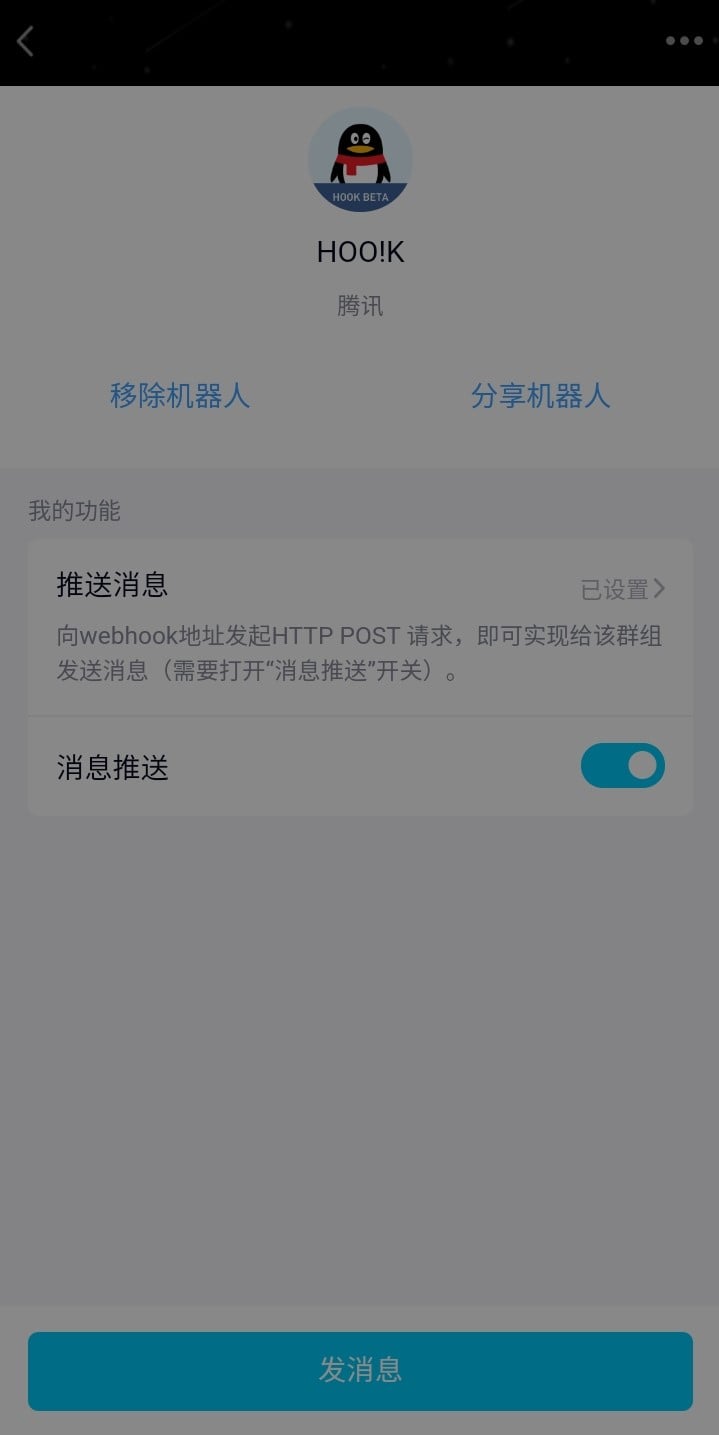
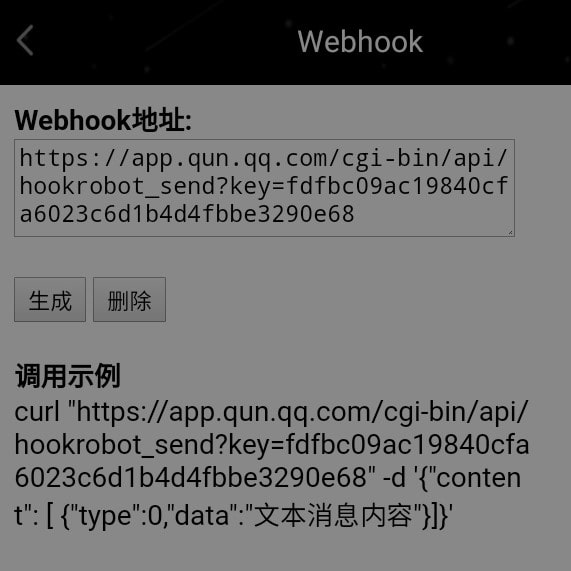
5. Enter the official QQ group webhook URL in the plugin settings.
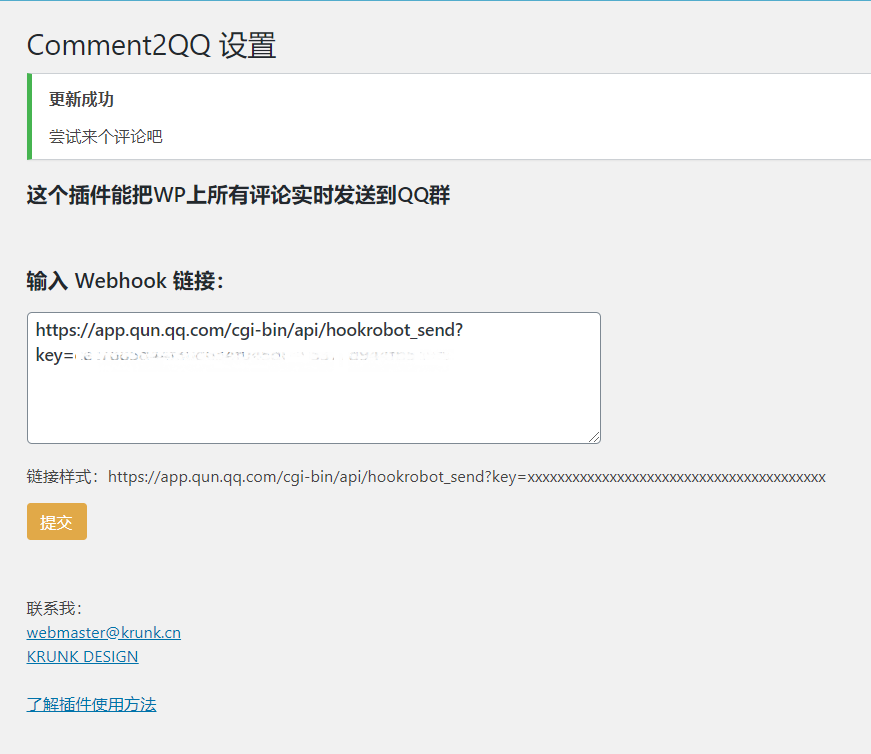
6. Try leaving a comment! The comment will be sent to the QQ group associated with the link.
Download
http://d.krunk.cn/Blog\_Download/comment2qq.zip
Open Source
https://github.com/KrunkZhou/Comment2QQ
Open-source license: GNU General Public License v3.0
Inspired by OkYes! Blog
Plugin testing: Whr
KRUNK.CN blog comment notification group: 820993106

Published 04/11/2020 · Krunk Zhou
Join the conversation