Controlling a HomeKit Door Lock with UniFi Access
UniFi Access was the only thing missing from my UniFi collection. How could I not get one?
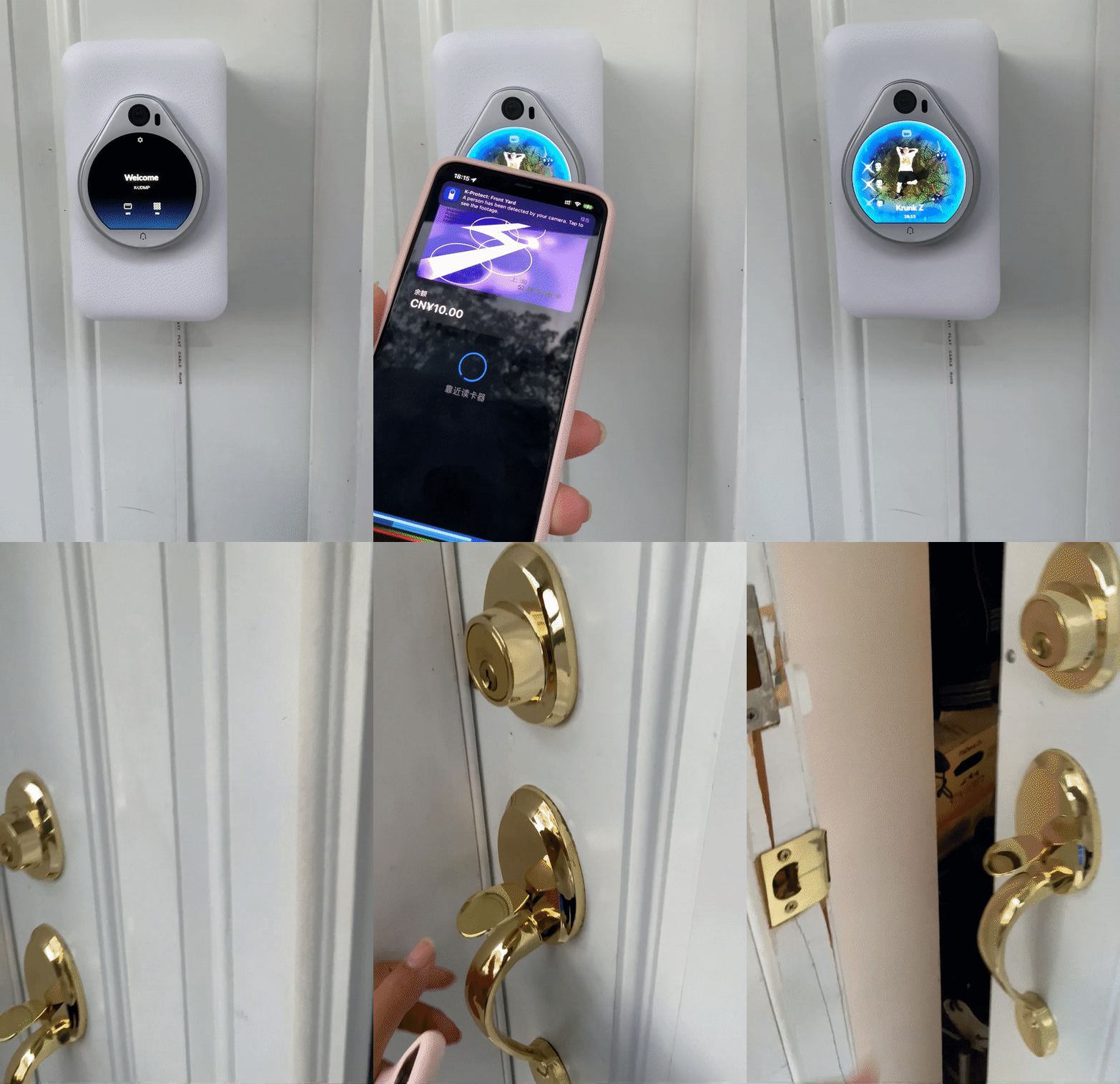
I have an August Gen4 lock at home and can't install a magnetic lock, so I decided to use Arduino to unlock the door through HomeKit.
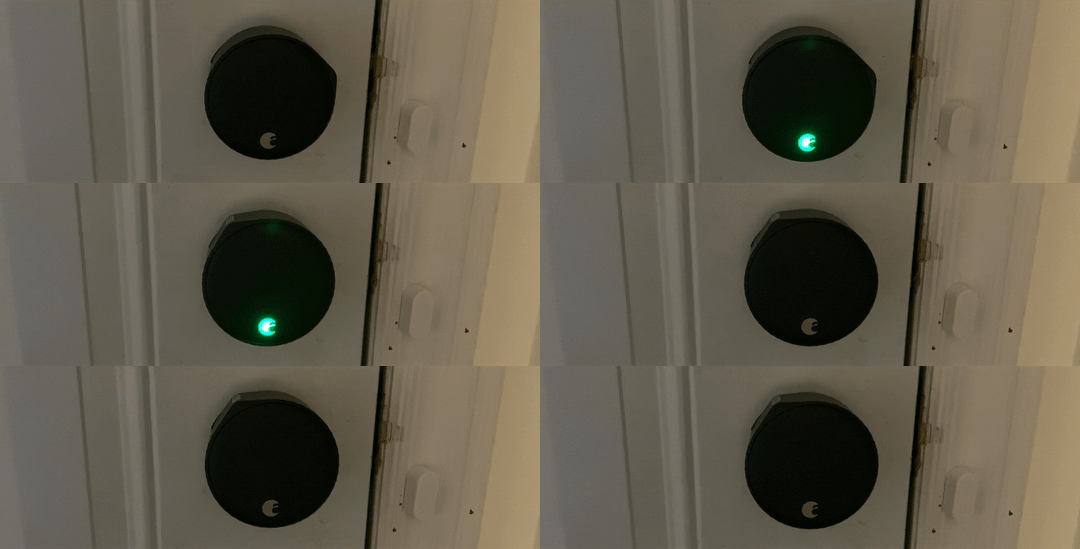
Here I use Wio Terminal to connect with HomeBridge. See this article for details (http://krunk.cn/post/2021/wio-terminal-控制多个-homekit-设备).
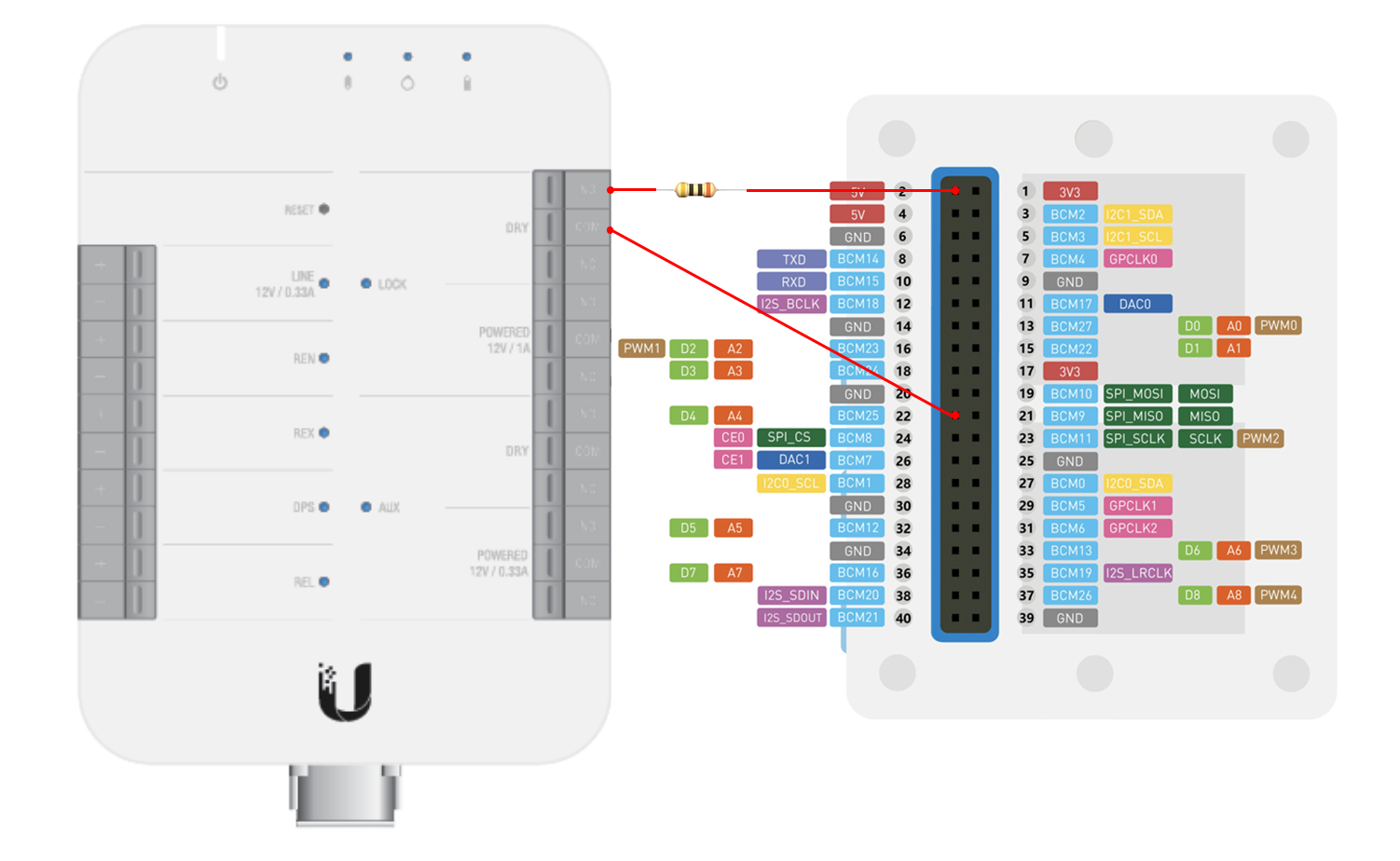
So all we need to do is extend this program to watch for GPIO changes. Connect 5V and GPIO 22 to lock-dry on the UA-Hub. (The dry contact connects COM to NO while unlocking without supplying power.) If the corresponding I/O pin goes HIGH, send the button command to HomeKit to unlock the door. (Don't forget to add a resistor.)
Installation
Required components
- Wio Terminal
- Unifi Access (UA-Hub, UA-Pro/UA-Lite)
- GPIO ribbon cable
- A resistor (a value that works for a pushbutton should do; the exact value doesn't seem to matter)
- PoE to USB adapter (optional; this lets the Arduino and UA-Hub share the same power source, so both can stay operational on a UPS during an outage)
Wio Terminal configuration
See this article for the HomeBridge setup; I will not go into detail here.
// WiFi SSID (部分5Ghz AP可能无法连接)
const char* ssid = "KIOT-Terminal";

// WiFi 密码
const char* password = "KIOT-UYDFGW6IdaW";

// HomeBridge地址 不要后斜杠以及ssl
// 如需使用ssl还需要配置公钥
const char* server_ip = "http://10.0.0.86";
The following assumes that these steps have already been completed:
- Configure the server-side HomeBridge installation and plugin
- Set the Wi-Fi password and HB's IP address on the Arduino
Download the firmware from the link below, set the Wi-Fi details and HB's IP address, and flash it to the Wio Terminal. You can copy over all the configuration information from the HomeKit-control firmware (the settings work with either version).
Connect the wires as shown below.
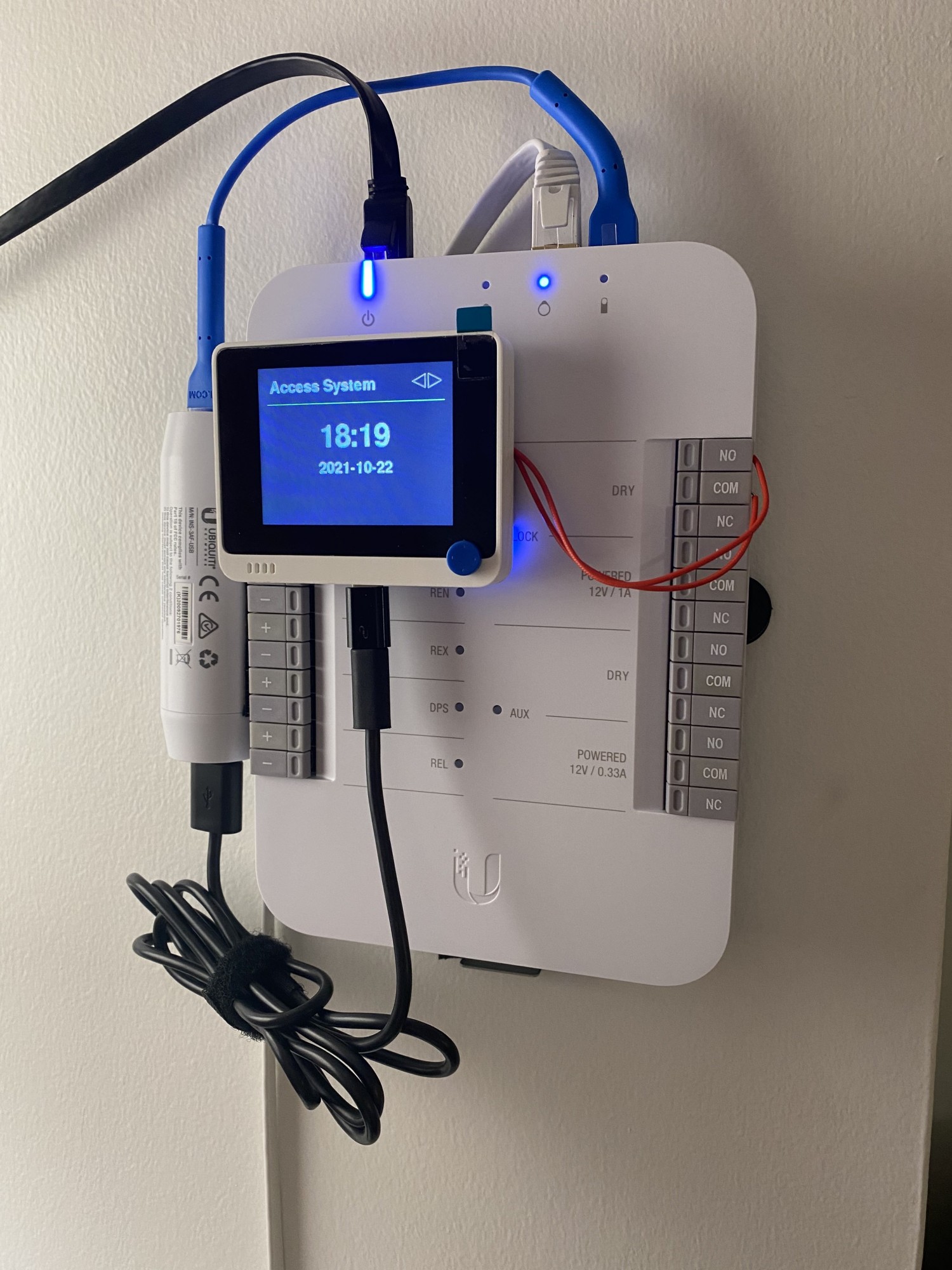
HomeBridge configuration
Add a button on port 44100 under accessories in the HB config. If you need a different port, search for 44100 in the Arduino source and replace it.
	"accessories": [
        {
            "accessory": "KIOTSwitch",
            "name": "Unifi Access Lock",
            "port": 44100
        }
    ]
Testing
Touch the two wires coming from the Arduino together. If the screen shows Access Granted, congratulations—the setup worked. If it shows Unlock Failed, there is a problem connecting to HB; the HB port may not be open. If nothing appears, the GPIO pin hasn't detected a change.
HomeKit Configuration
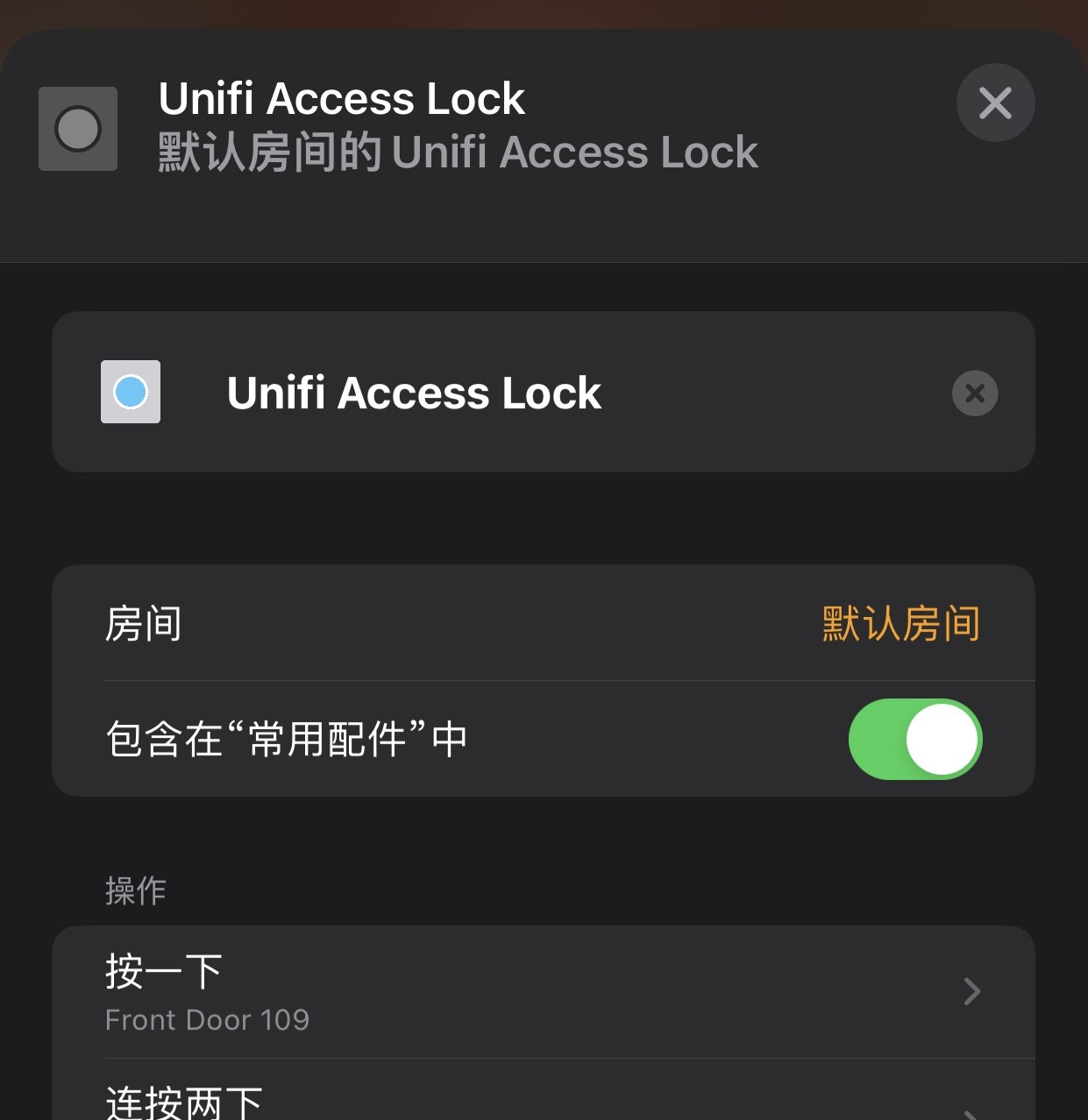
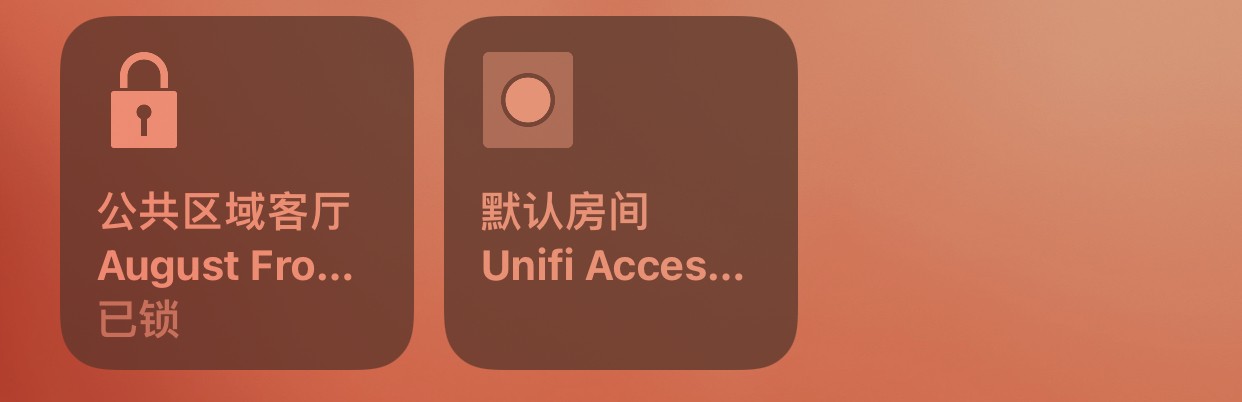
Set 按一下 (Single Press) on the Unifi Access Lock button to unlock the HomeKit lock.
GitHub: https://github.com/KrunkZhou/Unifi-Access-HomeKit-Lock/
Published 10/06/2021 · Krunk Zhou
Join the conversation